The WordPress vs coding question comes down to one choice: build websites with a ready-made system, or learn how websites are built underneath. For most beginners the honest answer is both, in a sensible order, because the two skills overlap far more than the question suggests.
This guide covers what each path teaches, the work each leads to, where they meet and a simple learning order. It makes no promises about jobs or income, because those depend on your portfolio, your market and how much you practice.
Key Takeaways
- WordPress is software you configure and extend, while coding means writing the HTML, CSS and JavaScript that browsers actually read.
- WordPress gets you to a working website faster, but deeper WordPress work, such as building or editing themes, still needs HTML and CSS.
- Coding takes longer to learn, and the skills carry across every platform, including WordPress.
- A practical order for most beginners is HTML and CSS basics first, then WordPress, then JavaScript and PHP as projects demand them.
- The US Bureau of Labor Statistics says finished projects can stand in for formal credentials, so build real things on either path.
What is the difference between WordPress and coding?
WordPress is software you install and configure to run a website, while coding is writing the instructions that make a website work. WordPress.org describes WordPress as open source software and states that WordPress “is built on PHP and MariaDB, and licensed under the GPLv2.”
Coding for websites starts with three languages: HTML for structure, CSS for styling and JavaScript for interactivity. The MDN Learn web development course is built around those three, with core modules titled “Structuring content with HTML”, “CSS styling basics” and “Dynamic scripting with JavaScript”. Learning to code means you can build a page from an empty file, with no platform in between.
WordPress and coding are not a strict either-or. A WordPress page still reaches the browser as HTML and CSS, so knowing code makes you better at WordPress, and knowing WordPress gives you a fast way to ship real sites while you learn.
What does learning WordPress teach you?
Learning WordPress teaches you to run a complete website: installing it, choosing a theme, adding plugins, managing pages and media, and keeping everything updated. Those are the day-to-day tasks most small business websites need, and a beginner can learn them without writing code. The About WordPress page adds that more experienced users “can customize it in remarkable ways.”
WordPress also teaches the parts of web work that coding tutorials often skip: hosting, domains, backups, forms, user roles and updates. Our guide to building a WordPress website walks through the setup in seven steps.
The limit of a WordPress-only path is control. When a theme or plugin does not do what a client wants, a WordPress user without code skills has to find another plugin, accept the limitation, or hire someone who can write the change.
What does learning to code teach you?
Learning to code teaches you how websites actually work, so you can build, debug and change anything rather than only what a tool allows. MDN describes its Learn web development course as “a structured set of tutorials teaching the essential skills and practices for being a successful front-end developer.” The MDN course moves from HTML and CSS through layout, JavaScript, accessibility and version control, and those skills work on any platform.
The cost of the coding path is time before visible results. A hand-coded first page rarely looks as polished as a ready-made WordPress theme, and we often see self-taught learners give up in that early gap. Our guide on how long it takes to learn web design looks at that question in more detail.
Do you need to know coding to use WordPress?
No, you do not need to know coding to use WordPress for everyday site building, but you do need it for deeper customization. The WordPress Theme Handbook notes that “It’s also possible to export a theme directly from the Site Editor without touching any code.” The same handbook page says block themes “rely on HTML-based block templates that contain block markup.”
For classic themes, the Theme Handbook is explicit: “The classic theme creation process also requires some minimal PHP, HTML, and CSS code knowledge, at least.” In practice, most WordPress customization, such as fixing a layout, adjusting a theme or adding a small custom feature, sits on top of HTML and CSS.
A common pattern we fix is a WordPress layout that breaks on phones because someone pasted in CSS they did not understand. Knowing basic CSS turns that kind of problem from a mystery into a quick, targeted change.
Is WordPress worth learning for jobs and freelance work?
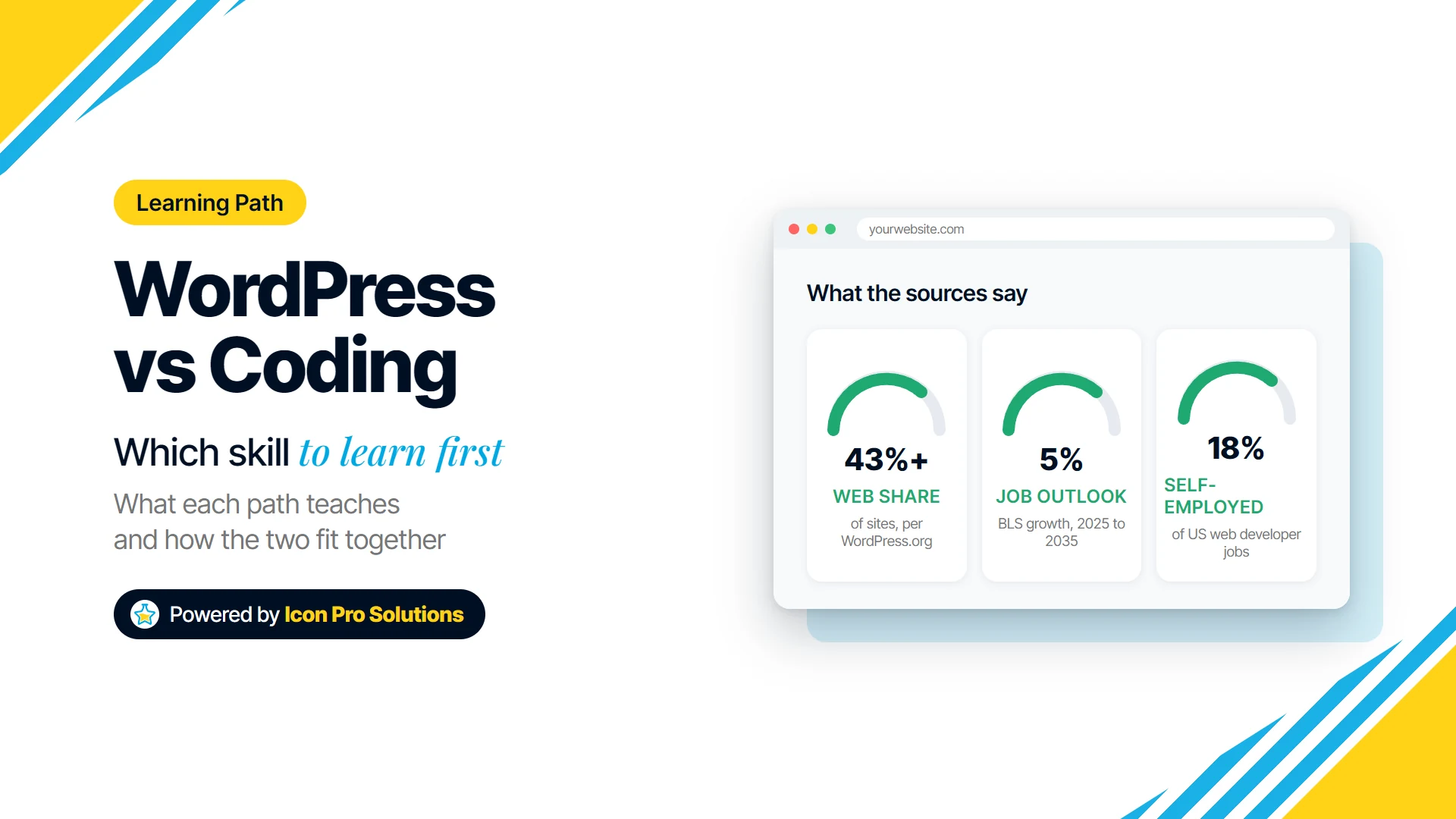
WordPress is worth learning for freelance and small business work, because a large share of websites already run on it. The WordPress project states that WordPress is “the platform of choice for over 43% of all sites across the web.” That is a large pool of existing sites that need updates, fixes and redesigns, though the WordPress project does not say how many of those site owners hire help.
Employed developer roles usually ask for more than WordPress. The US Bureau of Labor Statistics Occupational Outlook Handbook says “Web developers need to have a thorough understanding of HTML programming.” The BLS handbook adds that many employers also want JavaScript or SQL, which points to code skills beyond any single platform.
The BLS figures give context, not a promise. The BLS handbook projects that “Overall employment of web developers and digital designers is projected to grow 5 percent from 2025 to 2035, faster than the average for all occupations.” The handbook also lists self-employed workers as 18 percent of web developer jobs in 2025, and warns that “increasing use of artificial intelligence (AI) for web development may soften the employment growth of these workers.”
For a wider look at the field, our article on whether web designing is a good career covers the design side of the same question.
WordPress vs coding: which should a beginner learn first?
Most beginners should learn basic HTML and CSS first, then WordPress, then more code as their projects demand it. That order gives you the speed of WordPress without leaving you stuck the first time a theme does something unexpected. The table compares the two starting points side by side.
| Question | WordPress first | Coding first |
|---|---|---|
| What you learn first | Dashboard, themes, plugins, hosting | HTML structure, CSS styling, JavaScript basics |
| First live website | Quicker, using a ready‑made theme | Slower, built from an empty file |
| Typical early work | Content updates, small business sites, plugin setup | Landing pages, front-end fixes, page components |
| Where beginners get stuck | Layout problems no setting can fix | Hosting, content management, client handover |
| Skills that transfer | Mostly WordPress, plus hosting basics | Every platform, including WordPress |
| Best fit | Freelancers and site managers who want results soon | People aiming for developer roles |
If you are also weighing design against development, our comparison of web development and graphic design may help you choose.
What is a simple learning order for beginners?
A simple learning order is HTML, then CSS, then a WordPress site, then JavaScript, then PHP or a specialism. Each step below ends with something you can show to a client or an employer.
- Learn HTML basics. Build one page with headings, lists, links, images and a form. The MDN Getting started modules are written for people who have “not installed a code editor or written any code yet.”
- Learn CSS basics. Style that page, then make it work on a phone using flexbox and media queries.
- Build a WordPress site. Install WordPress on a test host or a local setup, pick a block theme and rebuild your HTML page in the Site Editor.
- Customize WordPress with your CSS. Change a theme’s spacing, colors and layout, and write down what the Site Editor could not do on its own.
- Add JavaScript. Learn variables, functions and events, then add one interactive feature, such as a menu toggle or a filter.
- Choose a direction. Go deeper into PHP and WordPress theme or plugin development, or into JavaScript frameworks for front‑end roles.
- Publish a portfolio. The BLS Occupational Outlook Handbook notes that web developers and digital designers “may not need specific education credentials if they can demonstrate their abilities through prior work experience or projects.”
When is learning WordPress or coding not worth it?
Learning WordPress or coding is not worth it if all you need is one website for your own business and you have no interest in web work. Your time is usually better spent on the business itself, and paying a professional is often the better use of money once you count the hours a first build takes.
If you do want to learn, you can start for free. The MDN Learn web development course and the WordPress.org documentation are published openly online, and a paid course only makes sense when you want structure, feedback and someone checking your work.
Frequently Asked Questions
Is WordPress a programming language?
No, WordPress is not a programming language: WordPress is open source software built on PHP and MariaDB. You can use WordPress without programming, and developers extend it with PHP, HTML, CSS and JavaScript.
Is WordPress easier than coding?
WordPress is easier than coding for getting a first website live, because themes and plugins supply the design and features. Coding is harder at the start and gives you more control later.
Can I learn WordPress and coding at the same time?
Yes, you can learn WordPress and coding at the same time, and the combination works well when every WordPress project gives you a reason to write some code. Start with HTML and CSS changes on a WordPress test site, then add JavaScript or PHP as a project needs it.
Learn WordPress and coding with a mentor
If the WordPress vs coding decision is still unclear, a course with a mentor gives you structure and feedback while you learn both. Our diploma and certificate courses are two-month courses at three levels: beginner, intermediate and advanced. Every level you complete earns a verifiable certificate, and completing all three earns the Icon Pro Solutions Diploma.
Every session runs live with real mentors rather than recordings, and places are kept to small groups, so the courses page sets out who each course is for. If a mentored course is not an option for you, the free MDN and WordPress.org resources above are a sound way to start, and you can contact us with a question first.