Our software

Software Built Around Real Business Problems.

SaaS dashboards for the daily friction points that slow a business down: checkout, planning, accounts, payroll and more.

Board, Progress, Team

Pick your problem

One problem. One product.

Each product below solves one specific pain point, without the bloat of an all-in-one platform. Start with the headache you have today.

Point of Sale

Icon POS

Checkout, stock and the books in one counter app.

Scan, charge and print in seconds.

Scan a barcode or tap a product, add a line discount, then take cash, bank transfer or credit. Stock updates the moment the sale completes.

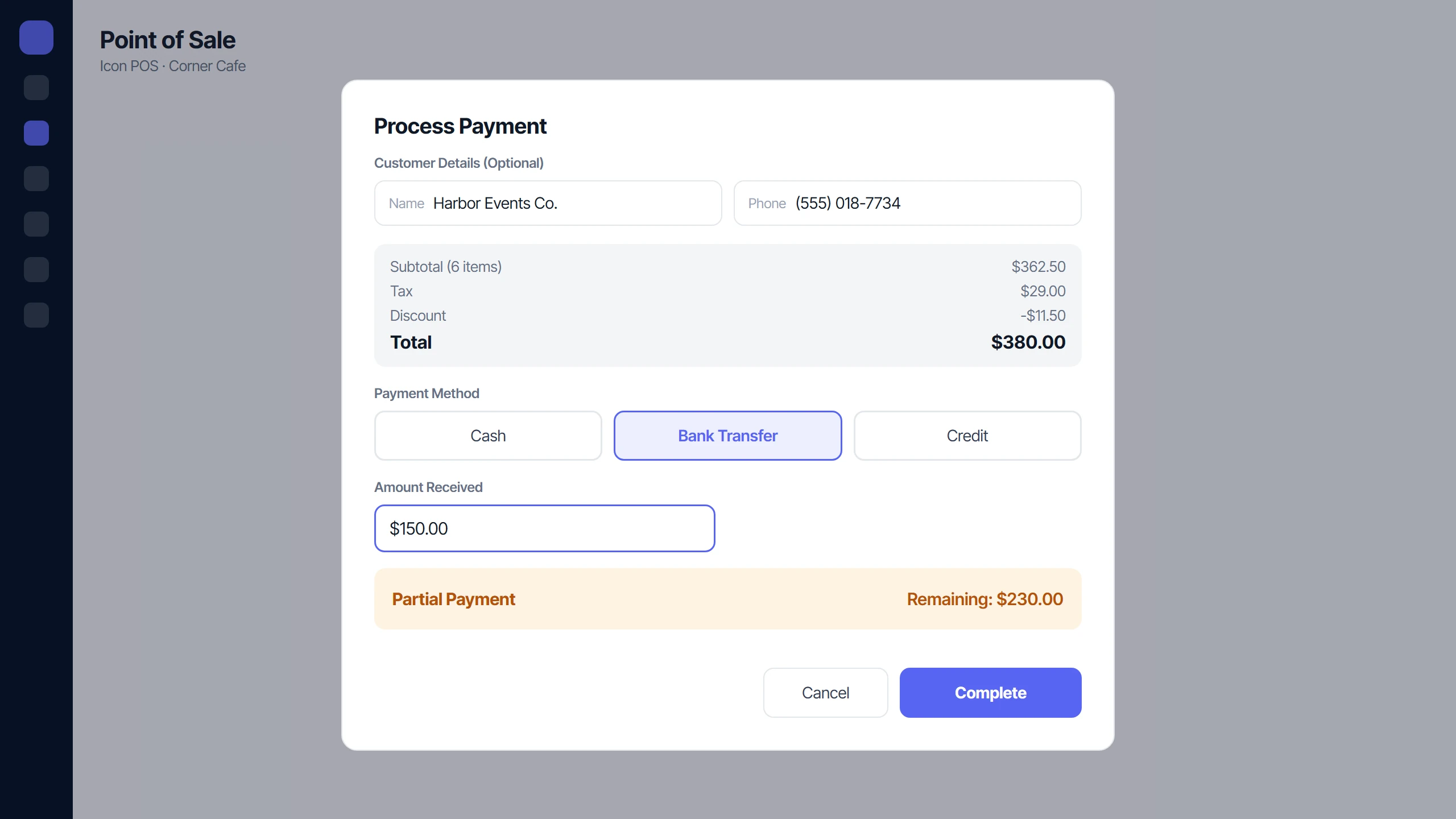
Take it all now, part now, or on credit.

Record a full payment, a partial payment or a credit sale. Every open balance is tracked until it is paid.

Icon POS payment with a partial payment and the remaining balance

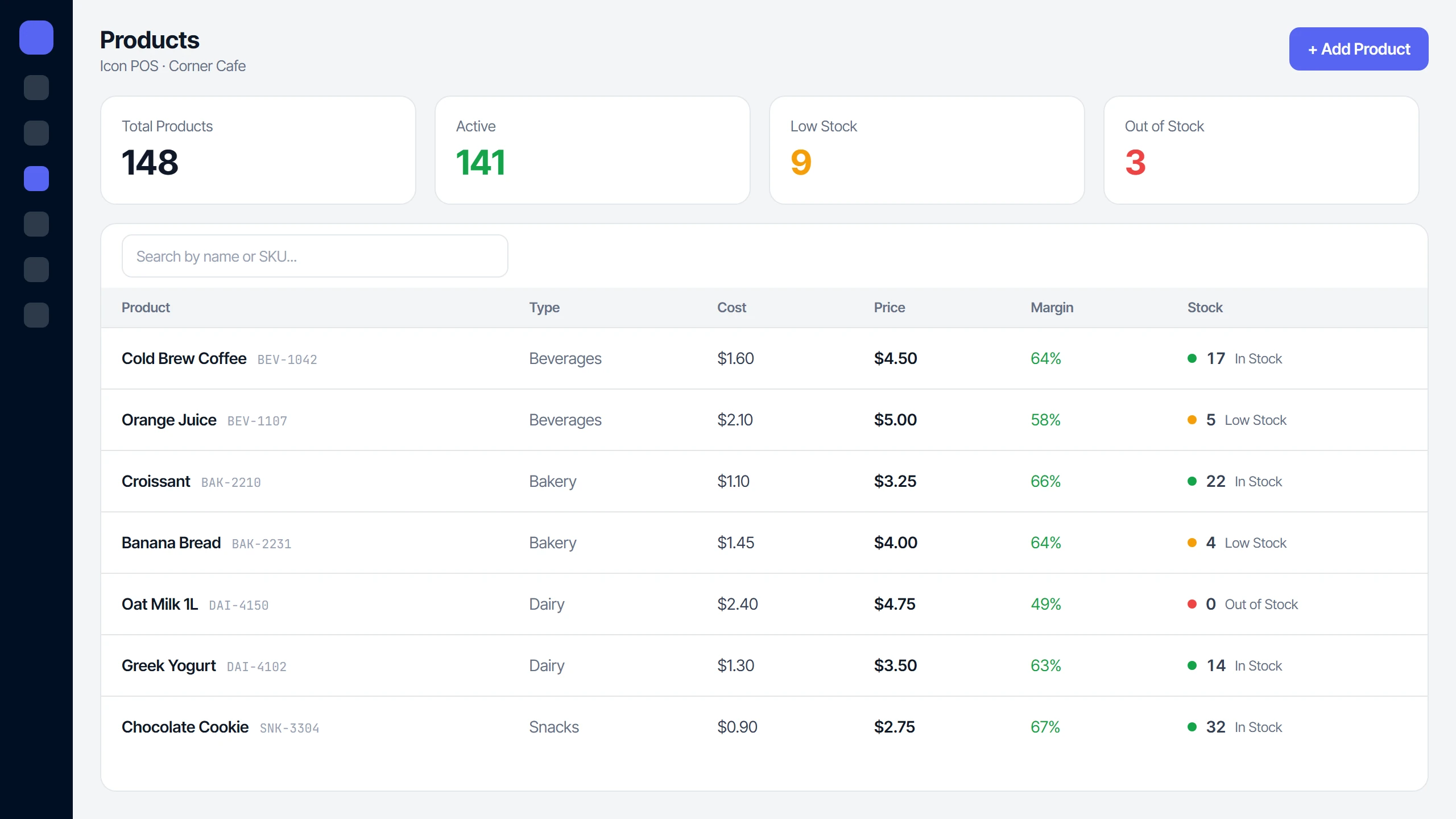
Know what is running low before it runs out.

Every sale deducts stock, and each product is flagged Low Stock or Out of Stock against its own reorder level.

Icon POS products list with Low Stock and Out of Stock alerts

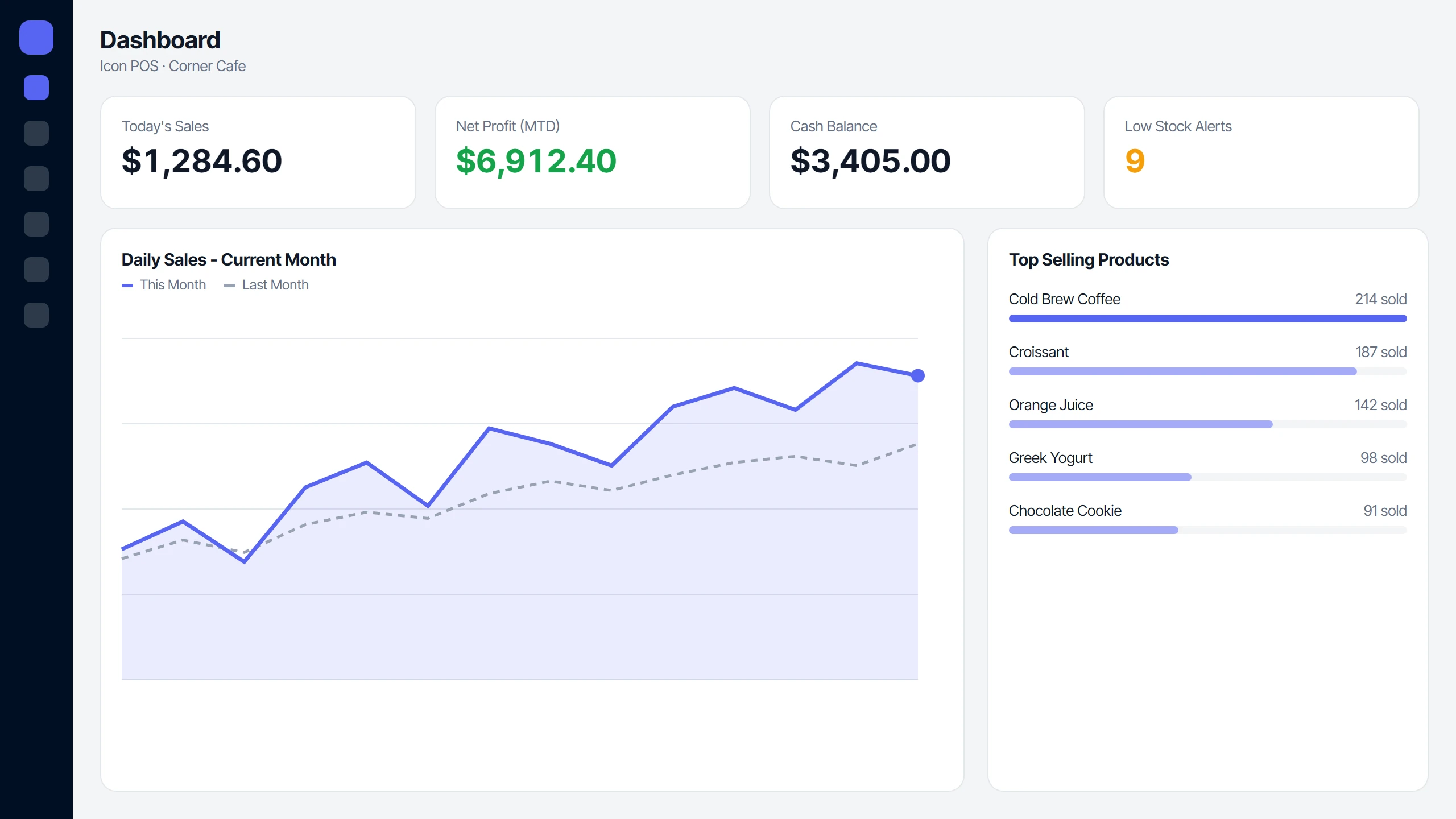
Sales, tax and profit, already worked out.

The dashboard shows today’s sales, cash balance and net profit; reports break down products, tax, payments, discounts, expenses and P&L.

Icon POS dashboard with today's sales, net profit and daily sales chart

Task Management

Icon Planner

Plan the work, review it, and see who delivered.

Assign it, review it, score it.

Add a task to a bucket and assign one person or several. Submitted work is closed with an accuracy score for each person, or sent back for revision.

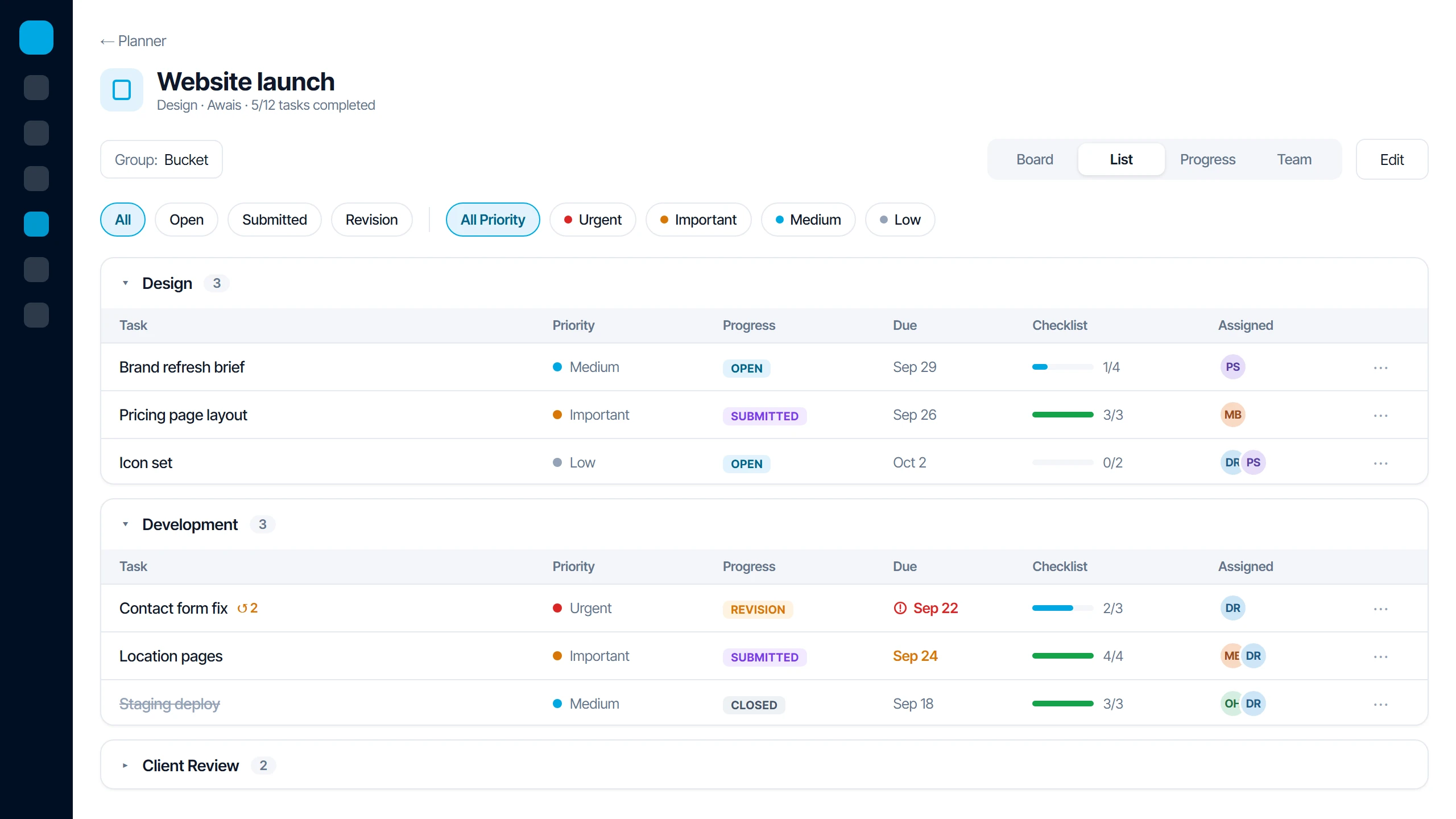
Every task and deadline in one list.

Group tasks by bucket, assignee, priority or progress, and filter to what needs attention. Overdue work is flagged in red.

Icon Planner list view with tasks grouped by bucket, priorities, due dates and checklists

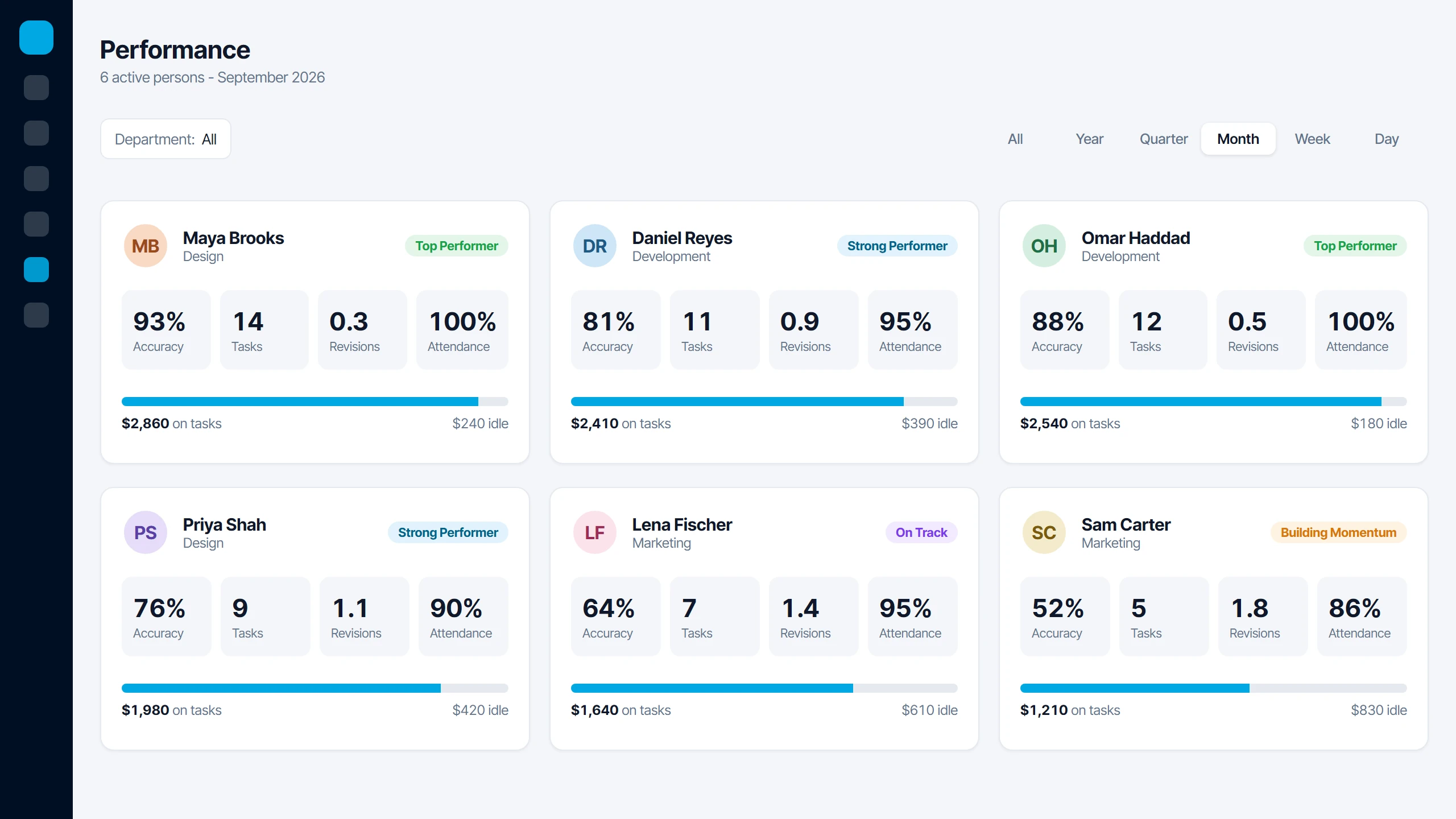
See who delivers, on time and to standard.

Every closed task feeds each person’s accuracy, on-time rate and revisions, by week, month, quarter or year.

Icon Planner performance page with accuracy, tasks, revisions and attendance per person

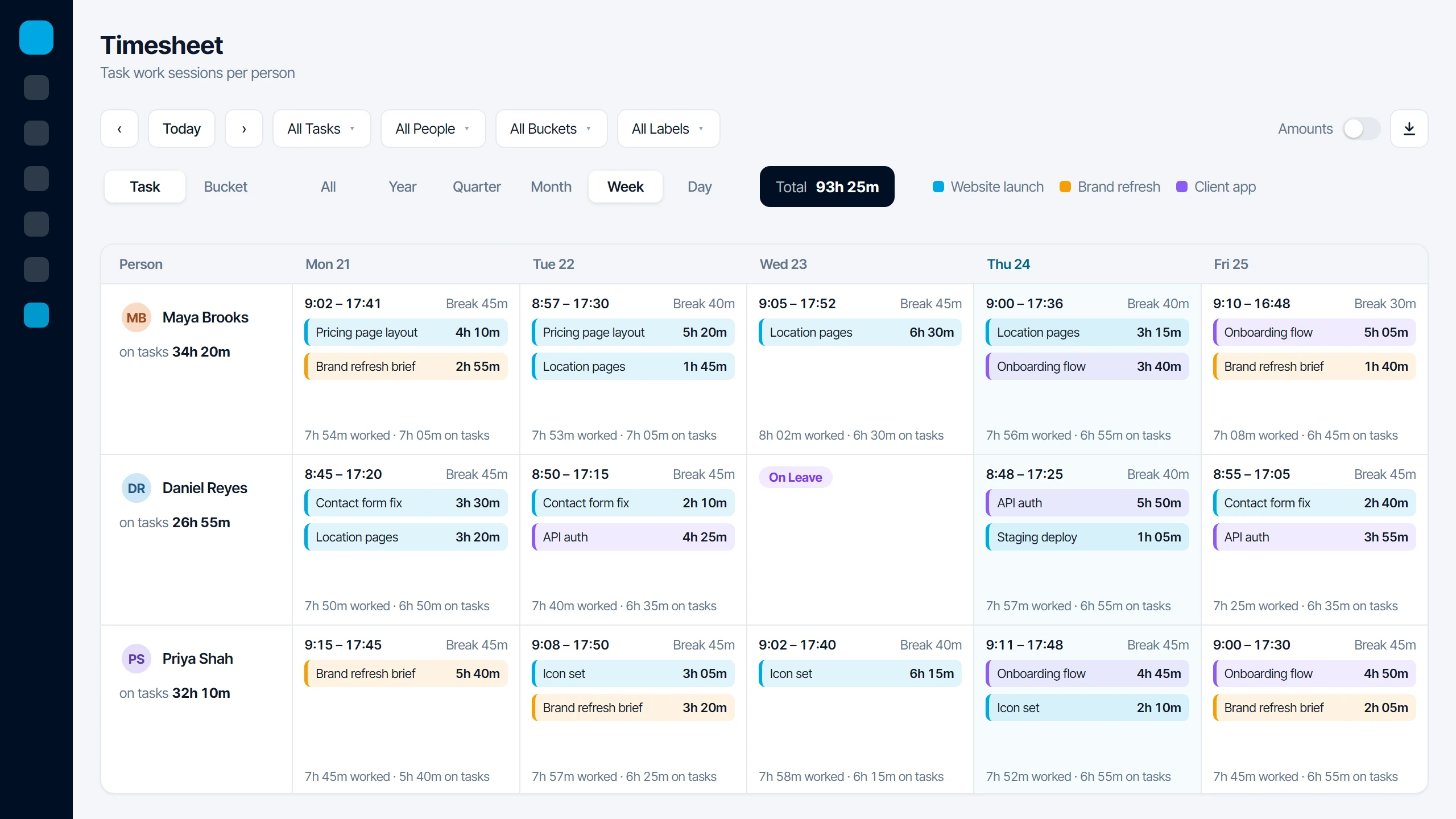
Where the hours actually went.

Task timers record every work session, shown next to attendance, so worked and untracked time sit side by side.

Icon Planner weekly timesheet with task work sessions next to attendance

Laboratory

Icon Laboratory

From test order to released report, in one lab system.

Order, enter, verify, release.

Find the patient by phone, pick tests by department, and the order and invoice are created in one step. Results are flagged against the patient’s reference range as they are typed.

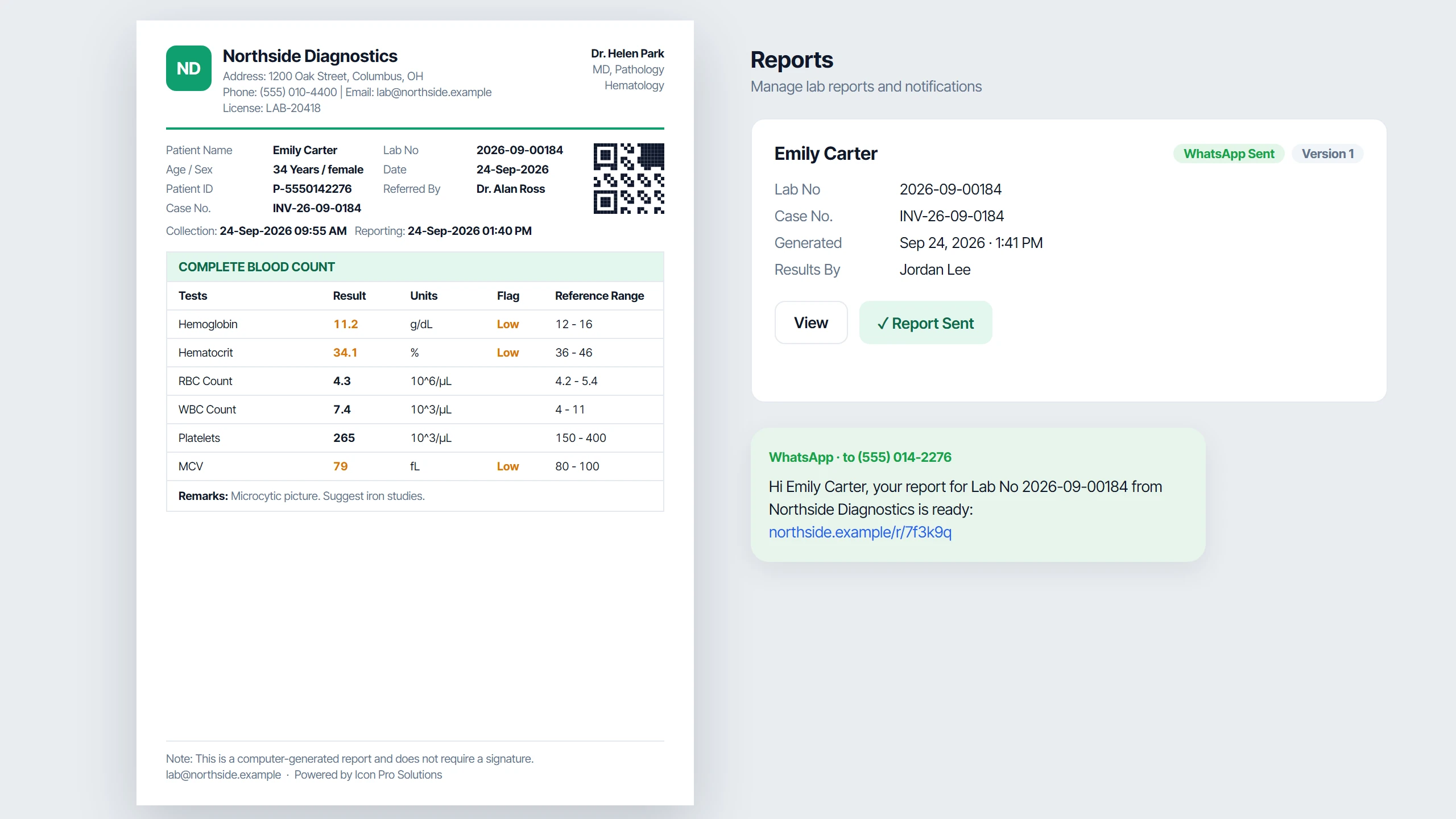
Reports ready to print or send.

Released results print on your letterhead with flags, reference ranges and a QR code. Send the report to the patient on WhatsApp as a PDF link.

Icon Laboratory printed report with flags, reference ranges and QR code, sent on WhatsApp

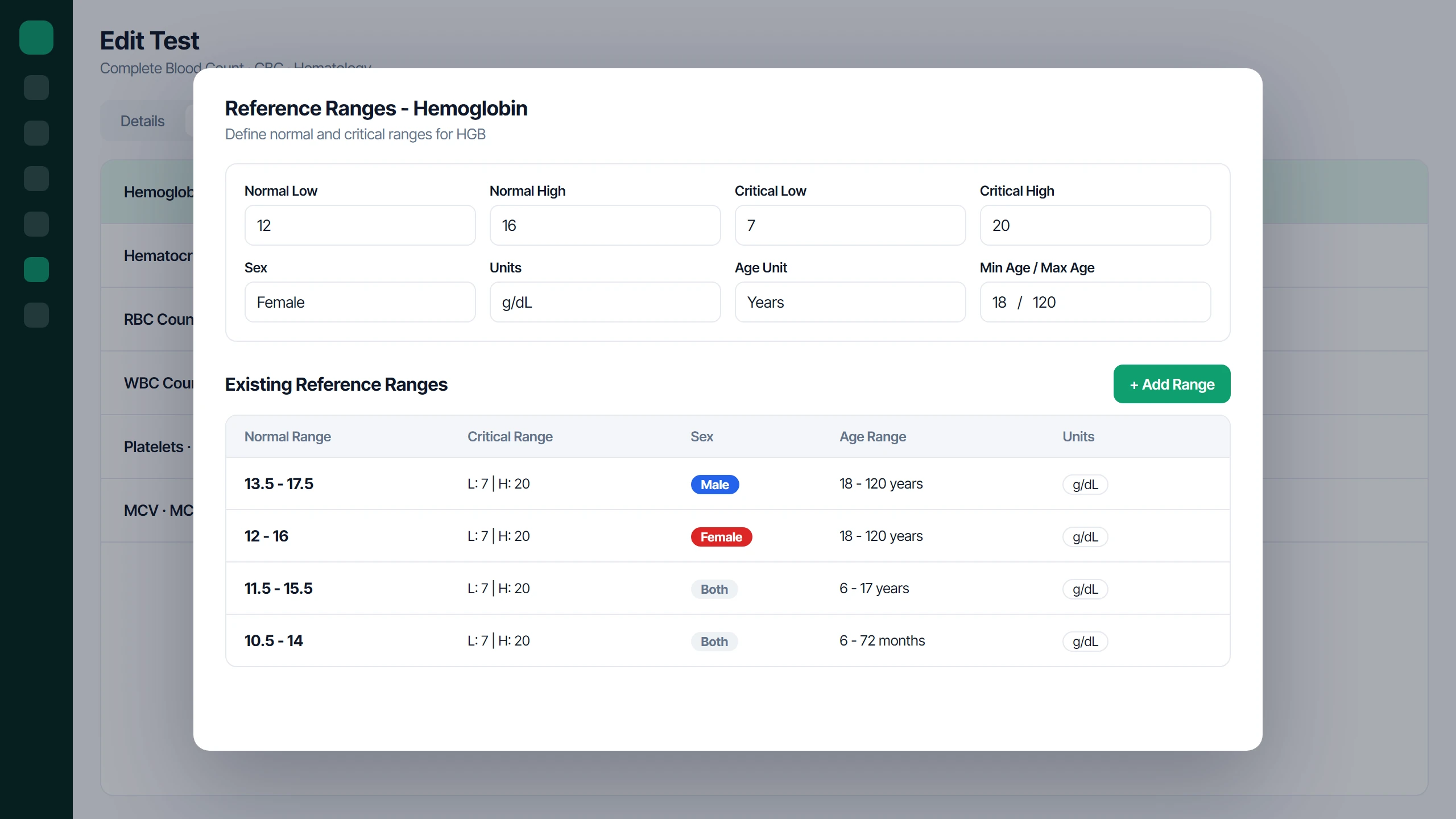
Your tests, your ranges.

Build single tests and panels with components, units and reference ranges by sex and age, with critical limits and dated prices.

Icon Laboratory reference ranges by sex and age with critical limits

Know what the lab is earning.

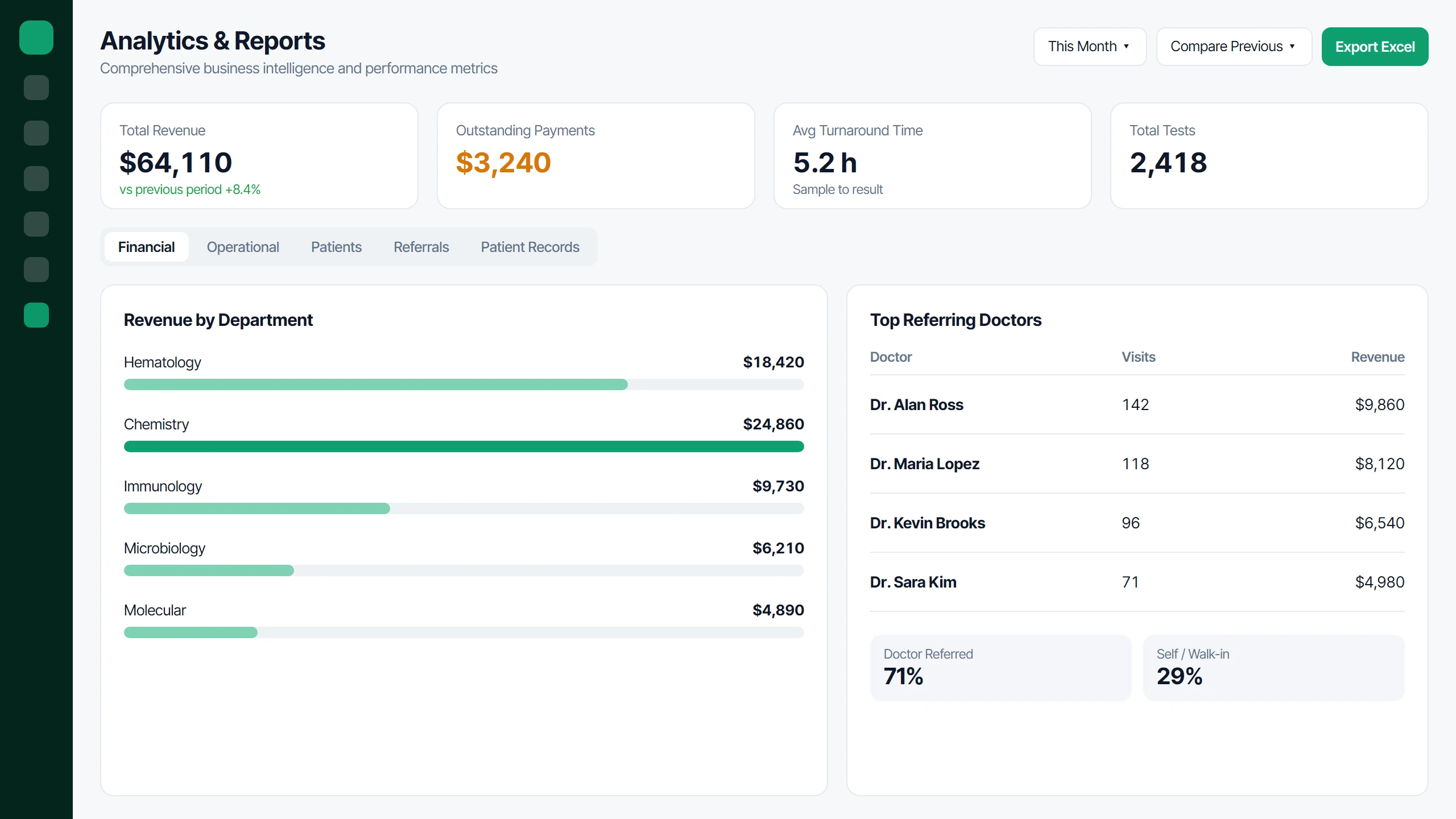
Revenue by department, outstanding payments, turnaround time and top referring doctors for any period, compared with the last.

Icon Laboratory analytics with revenue by department and top referring doctors

Reception

Icon Reception

Register, token and queue every patient from one desk.

Register, print, next patient.

Find a returning patient by phone or add a new one, pick the doctor or service, and the token and receipt print the moment the visit is saved.

Everyone knows who is next.

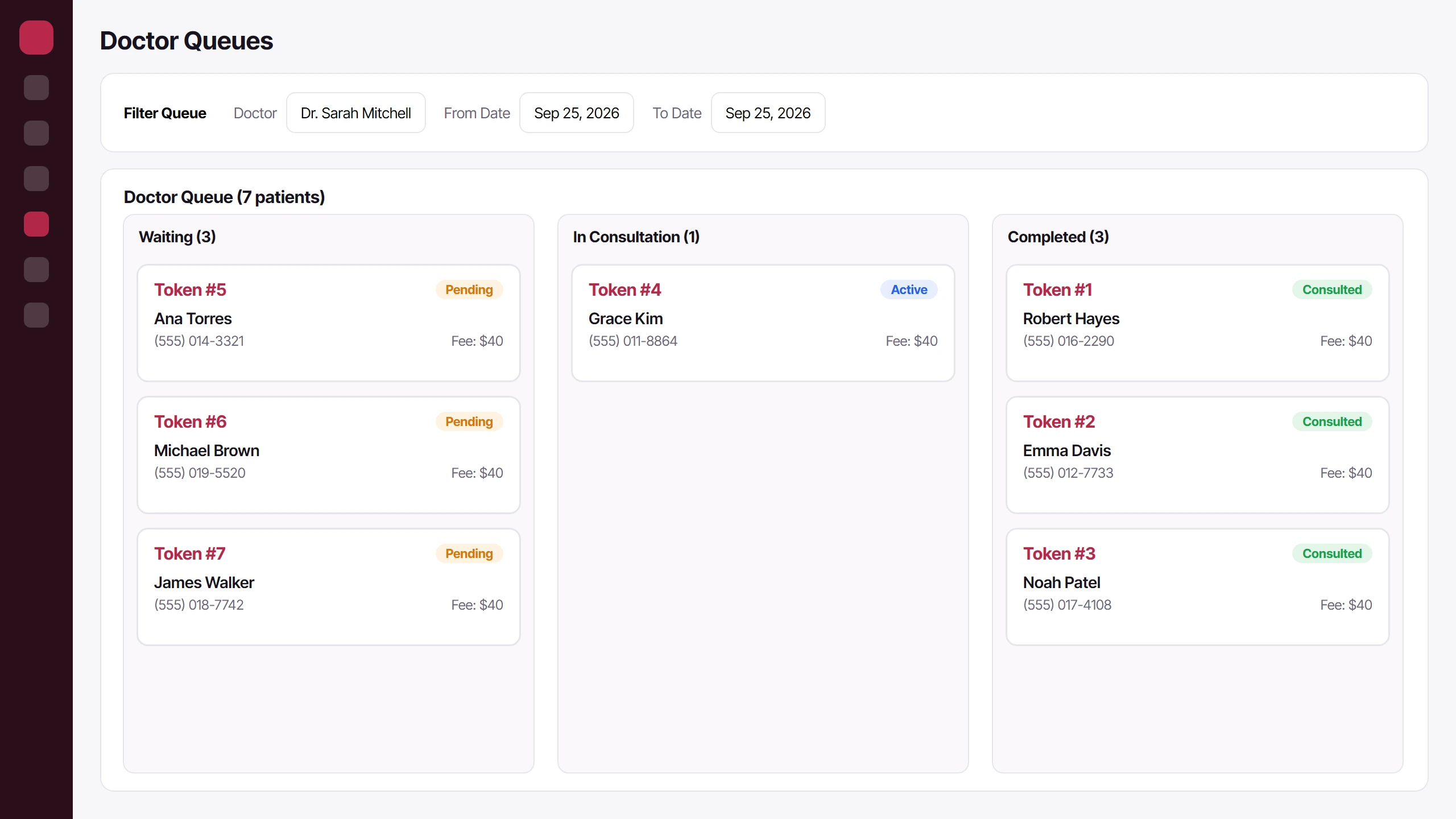
Each doctor’s queue moves from Waiting to In Consultation to Completed and updates live on every screen at the desk.

Icon Reception doctor queue with waiting, in consultation and completed tokens

See which doctors are in right now.

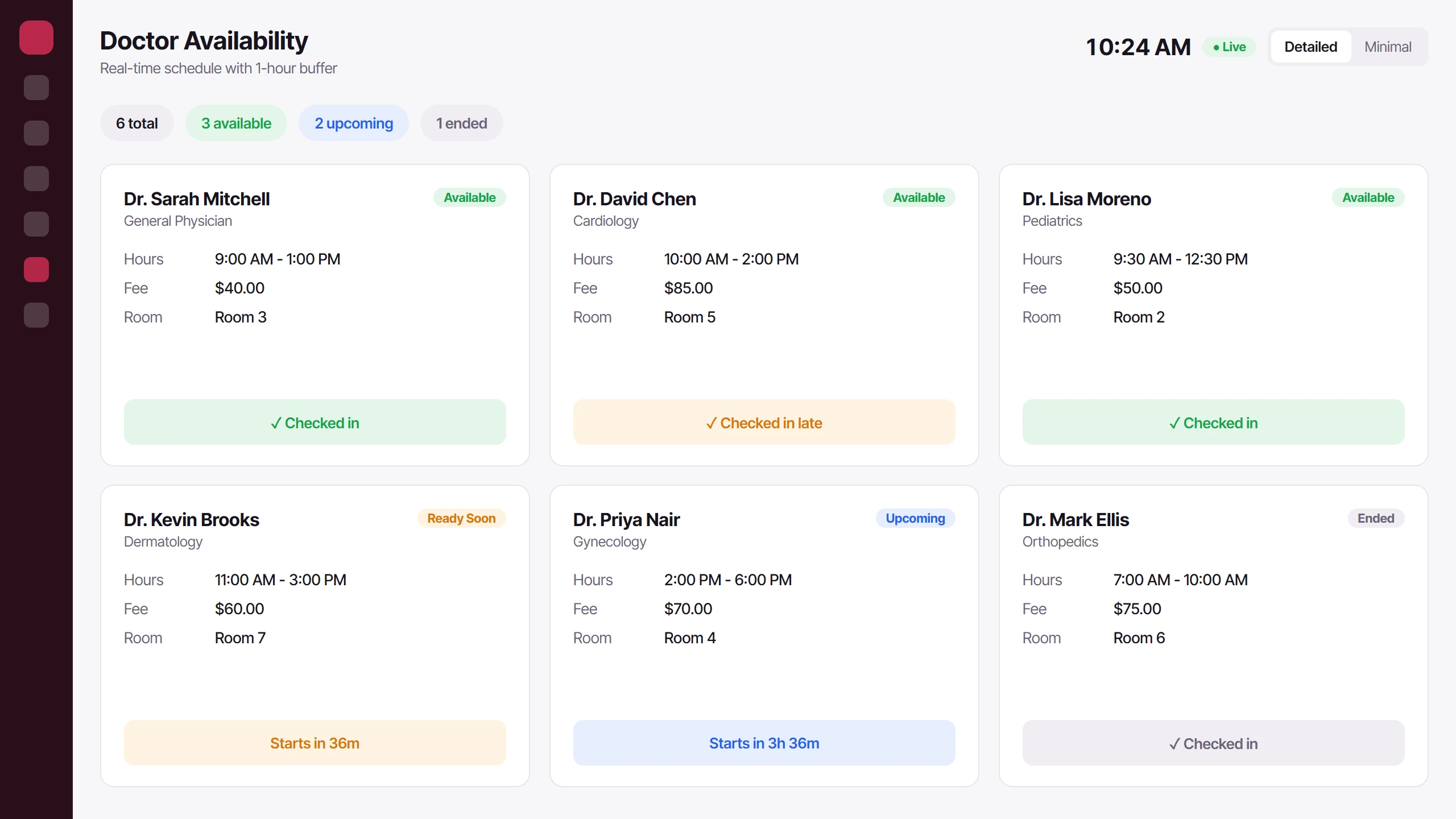
A live schedule shows who is available, who checked in late and when the next session starts, with daily attendance marking.

Icon Reception live doctor availability with check-ins and session countdowns

Every shift's cash, accounted for.

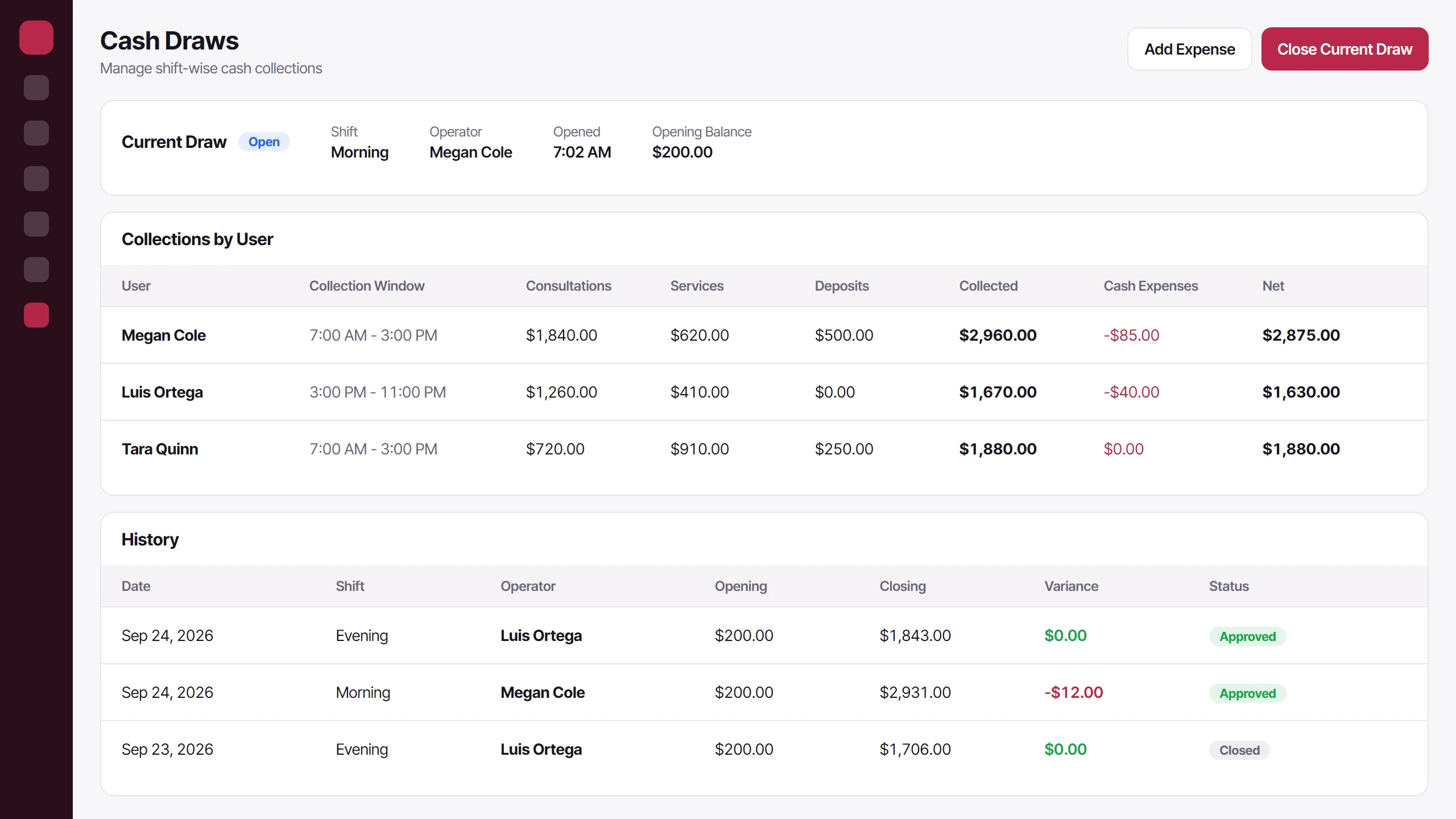
Open a draw at the start of a shift, count it out at close, and see what each user collected, with any variance sent for approval.

Icon Reception cash draws with collections by user and shift history

Bookkeeping

Icon Ledger

Record the money, invoice customers, see the profit.

Record the money. Send the invoice.

Type an amount on Home, pick money in or out, and it lands in the right account and category. Invoices show what is paid, part paid or overdue, and print with the balance still due.

Your bank statement, matched line by line.

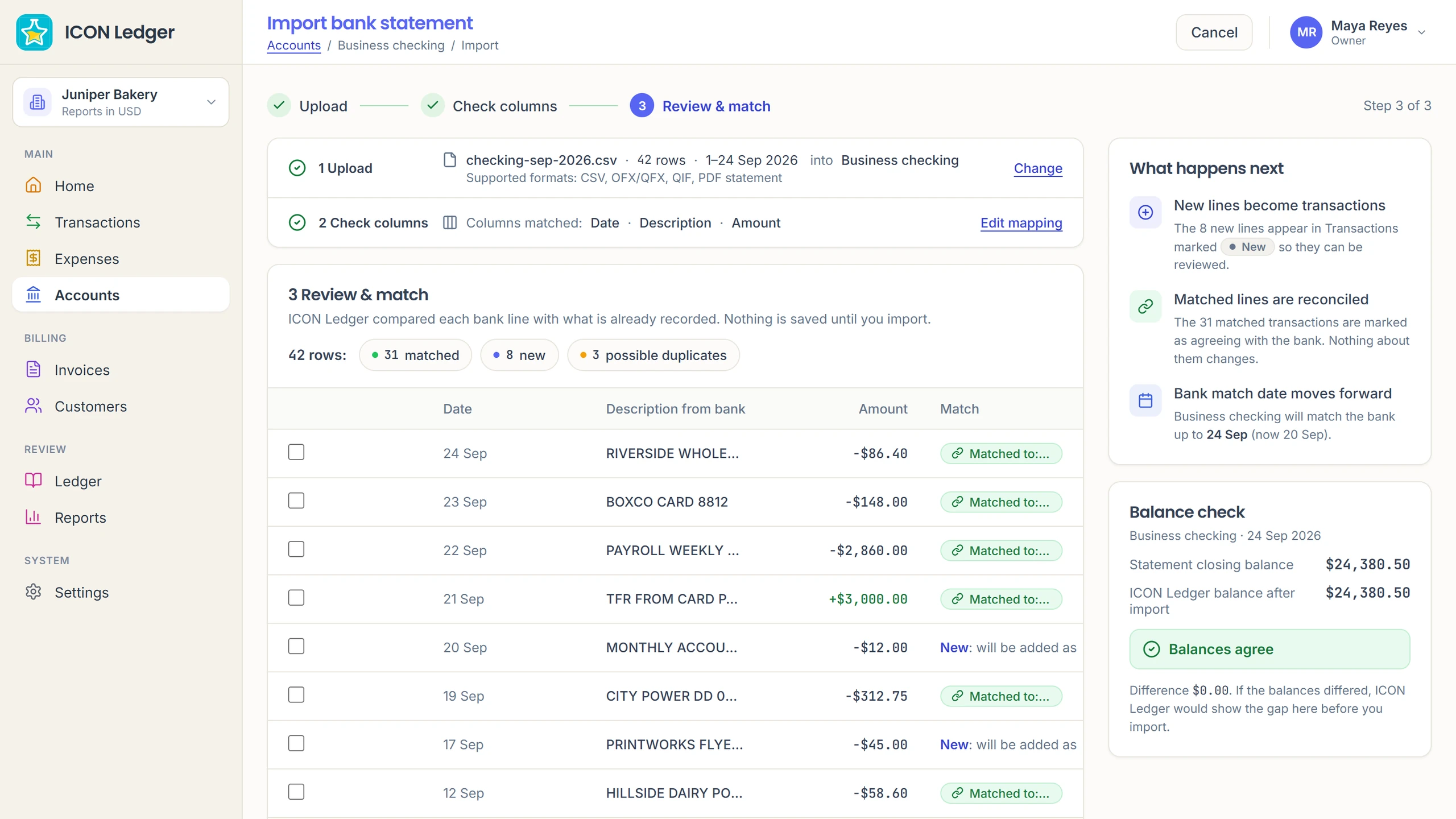
Upload a statement and each line is compared with what is already recorded: matched, new, or a possible duplicate. The closing balance is checked before anything is saved.

Icon Ledger bank statement import: 42 rows, 31 matched, 8 new, 3 possible duplicates, and the balance check

Every expense, with its receipt.

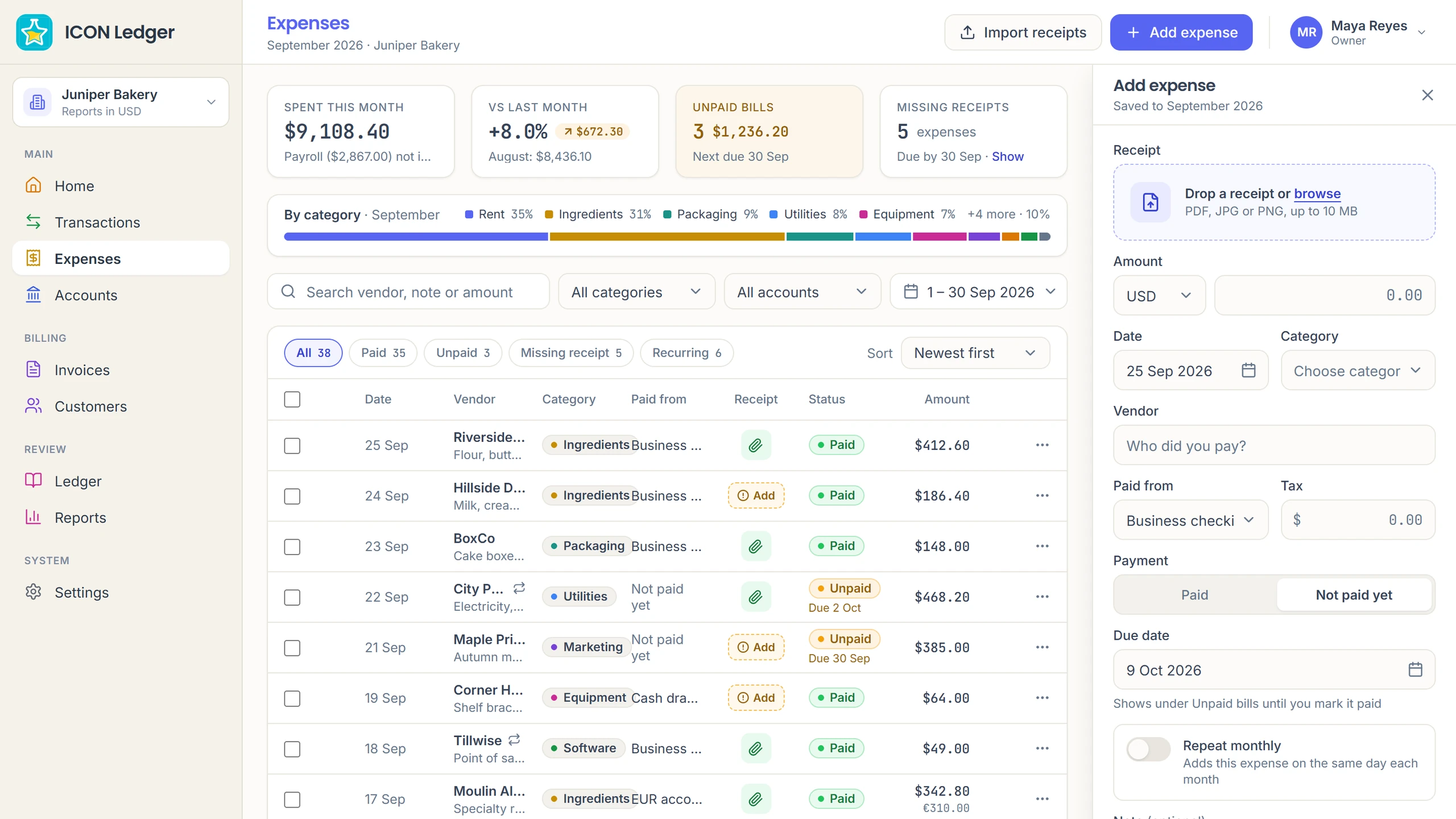
Drop in a receipt, choose the vendor and category, and mark it paid or not paid yet. Unpaid bills and missing receipts are counted at the top, so nothing slips.

Icon Ledger expenses: spent this month, unpaid bills, missing receipts and the add expense panel

Profit and loss, already added up.

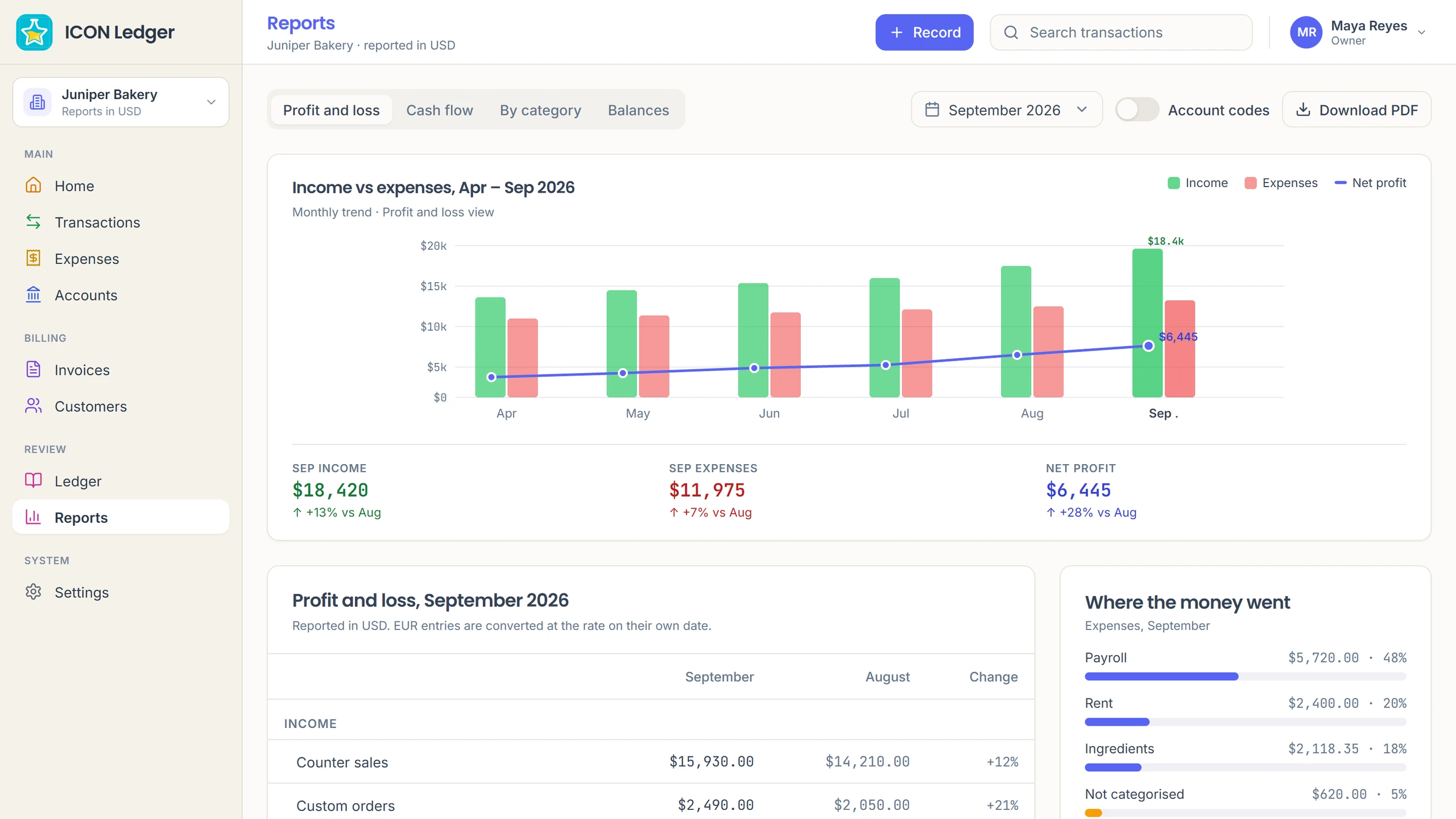
Income against expenses month by month, profit and loss beside last month, cash flow, spending by category and balances. Download a report as a PDF or share it with your accountant.

Icon Ledger reports: income against expenses by month and the September profit and loss

Payroll

Icon Payroll

Pay runs, payslips and loans, worked out for you.

A pay run in a few clicks.

Pick a pay group and a period and every payslip is calculated at once: base pay, allowances, tax, deductions and loan repayments. Review it, mark it paid, close it.

Every payslip, line by line.

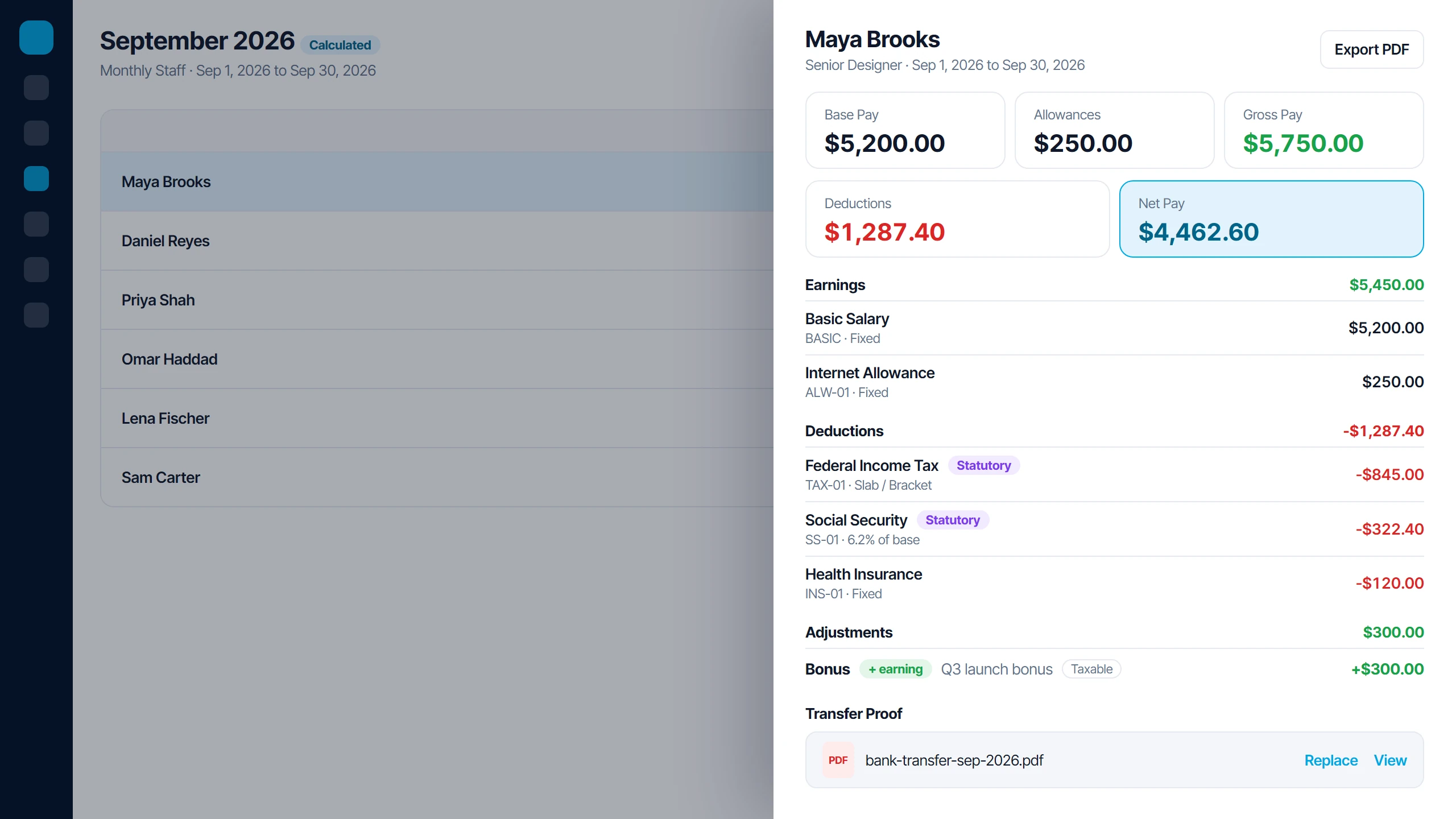
Each payslip shows its earnings, deductions and statutory lines, and how each was worked out. Add a one-off bonus or deduction and it recalculates on the spot.

Icon Payroll payslip with earnings, statutory deductions, a bonus and transfer proof

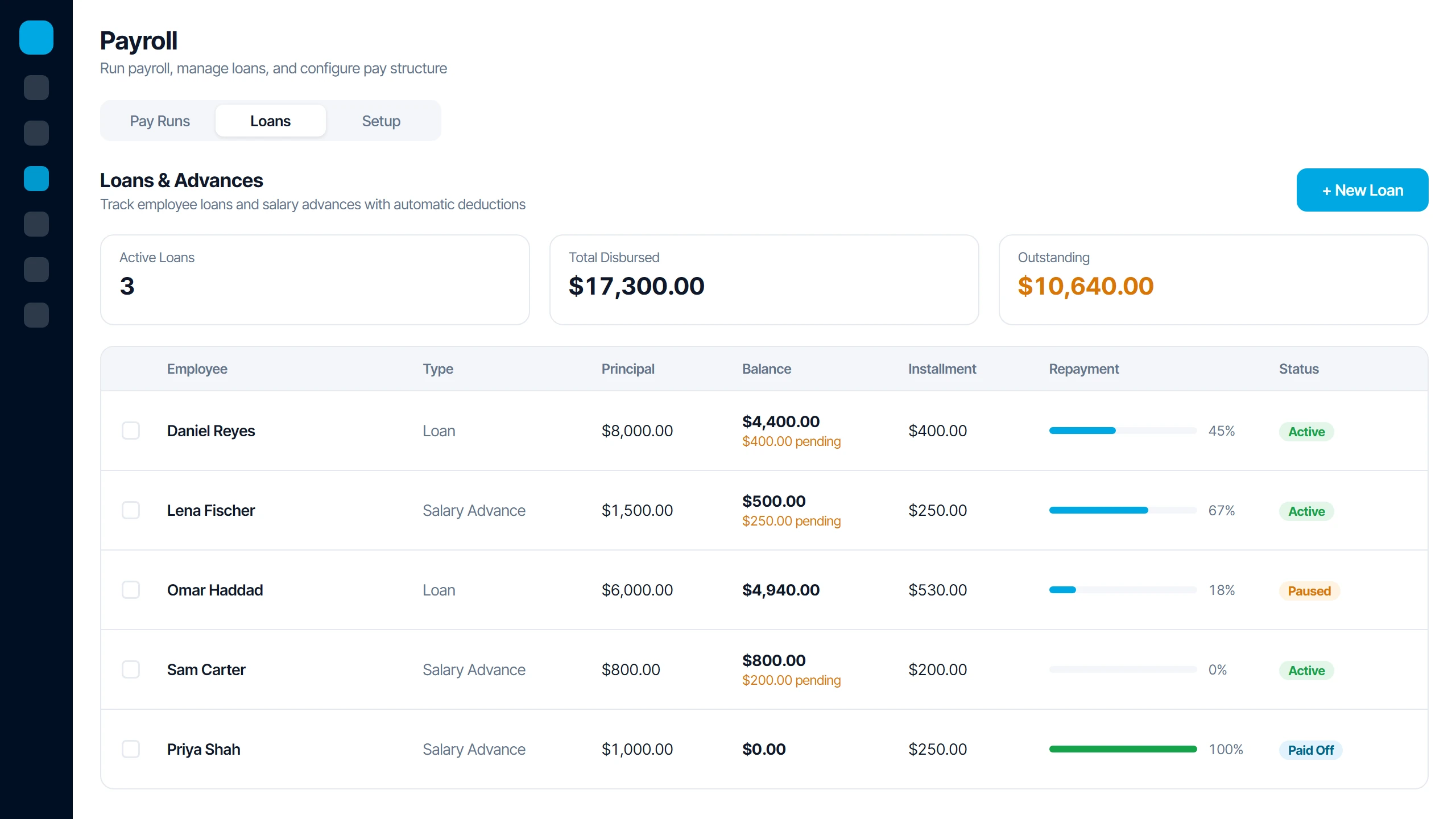
Loans and advances that repay themselves.

Set an installment once and it comes off every pay run, never pushing net pay below zero. The balance only drops when the run is marked paid.

Icon Payroll loans and salary advances with balances, pending repayments and status

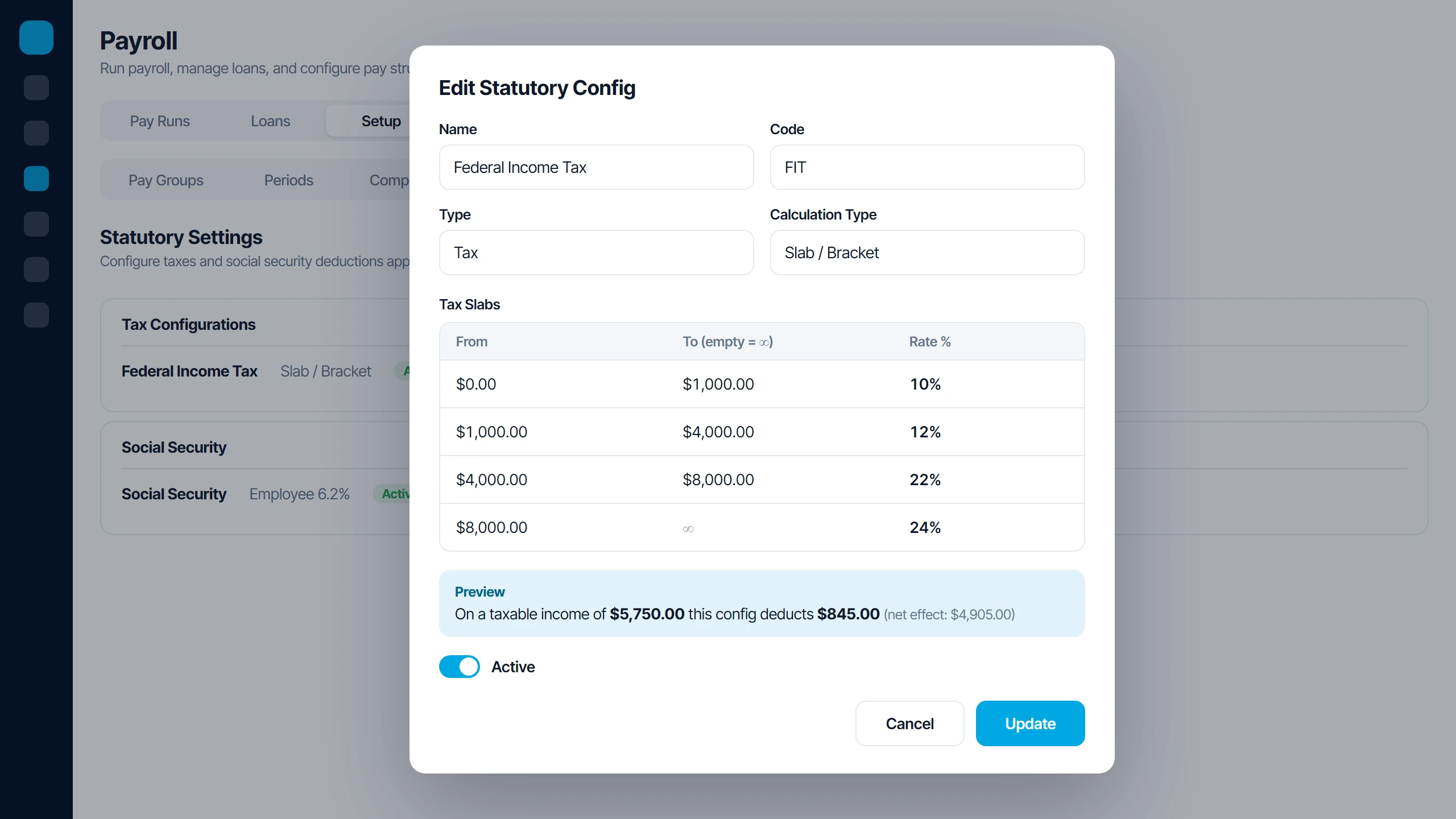
Your tax rules, set once.

Set up flat, bracket or threshold taxes and social security, and preview what each rule deducts before it goes live.

Icon Payroll tax bracket settings with a live deduction preview

Your problem, solved

Have a problem none of these solve?

Tell us the headache. Our developers will scope a custom dashboard, built the same way we built these.

Before you buy

Questions and answers.

Not covered here? Book a call and ask us directly.

Which product is right for my business?

Start with the problem you have today. Each product on this page solves one, so pick the one whose problem you recognise, or book a demo and tell us what is slowing you down.

No. Each product solves one specific problem, so you start with the one you need.

Yes. Use Book a demo in any product section to pick a time, and we will show you the product and answer your questions.

Tell us the problem. Our developers will scope a custom dashboard, built the same way we built these. Use Request a custom build to get started.

You do. Your domain, hosting and logins are in your name from day one. The finished files, code and database are fully yours once the final invoice is paid.