Your email app refused the attachment, or the message bounced back an hour later. The usual fix is to make the PDF smaller, but the right method depends on what is inside it: a scan can shrink a lot, while a typed document barely shrinks at all.
This guide is for office staff and small business owners who send contracts, invoices, statements and signed forms by email. It covers the limits you are working against, four ways to get a PDF through, and the trade-off each one makes.
Key Takeaways
- Gmail allows 25 MB of attachments on a personal account, but Microsoft sets the default for a business Exchange mailbox at 10 MB for the whole message, so aim well under 10 MB when you do not know the recipient’s setup.
- Scanned and photo-heavy PDFs shrink the most, because their size comes from images, not words.
- Redrawing pages as compressed images gives the biggest saving, but the text can no longer be selected, copied or searched.
- If a file still will not fit, split it into parts and send several emails, or share a link from cloud storage.
- Our free PDF tools work inside your browser, so the document itself is never uploaded to us.
What Is the Email Attachment Size Limit?
The limit depends on the email service, and on work accounts it is often set by an administrator. Here is what Google and Microsoft say on their own help pages.
| Service | What the provider says |
|---|---|
| Gmail, personal | “For personal Gmail accounts, the limit is 25 MB.” |
| Gmail, work or school | “For work and school accounts, your Google Workspace administrator sets the attachment sending limits and attachment receiving limits.” |
| Outlook.com | “The attachment size limit for files is 25 MB.” |
| Exchange (business email) | “For Exchange accounts (business email), the default email size limit is 10 MB.” |
The headline number is not the whole story. Microsoft adds that the Exchange limit “includes both the size of the attachment and the size of the email,” and Google mentions receiving limits too, so the other side’s mailbox has a ceiling you cannot see. A file that leaves your outbox can still be turned away at the other end.
Why Is My PDF So Large?
A large PDF is usually large because of images, not text. A page of typed text stored as letters takes very little space, while the same page scanned on a copier is a full photograph of the paper.
The usual causes are scans, phone photos saved as a PDF, and brochures exported at print resolution. For a quick test, open the file and try to highlight a sentence: if the words select one by one, it is a text PDF, and if nothing selects, it is probably a scan or a picture of the page.
How Do You Make a PDF Smaller Without Losing Quality?
You can make a PDF slightly smaller without touching its pages by rewriting the file structure and removing hidden metadata. This is lossless compression, and the saving is usually small.
In the PDF Compressor, this is the Light setting. It rewrites the file more compactly and clears the title, author, subject, keywords, producer and creator fields, plus the hidden XMP metadata block, where an old file name or a colleague’s name can sit.
Text stays selectable and every page is untouched. Use it when a typed document is only just over the limit.
How Do You Shrink a Scanned PDF to Email It?
Redraw each page as a compressed image at a lower resolution. This is lossy compression, and on scans and image-heavy files it is where the large savings come from.
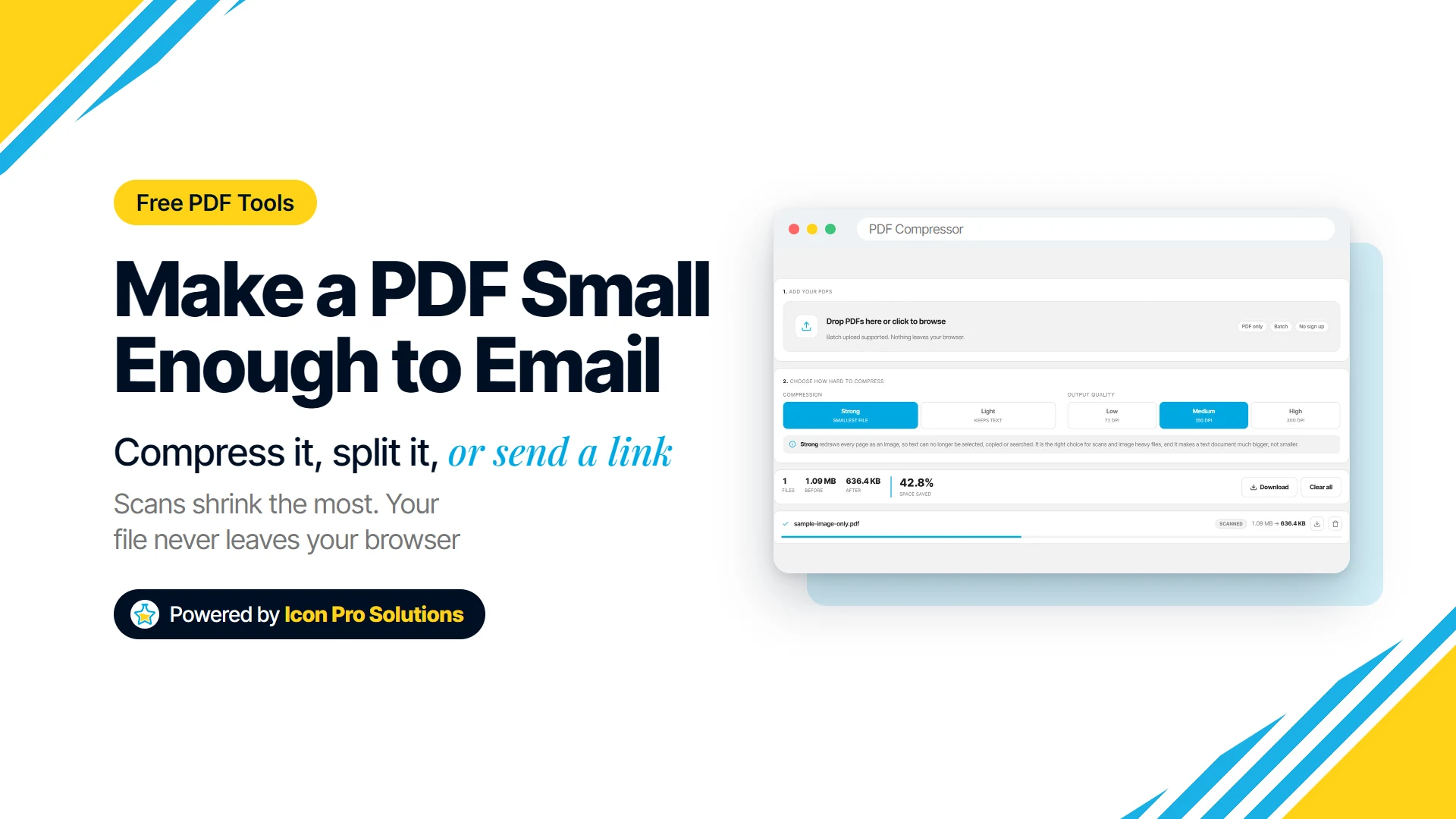
- Open the PDF Compressor and drop in one or more PDFs. It looks at up to the first three pages and labels each file Scanned, Text or Mixed.
- Choose Strong.
- Pick a quality: Low is 72 dpi, Medium is 150 dpi and High is 300 dpi. Medium is the setting the tool suggests for reading on screen and sending by email.
- Press Compress and compare the new size with your limit. If it is still too big, choose Low and press Compress again.
- Download each file from its row, or use Download all to get them in one ZIP.
Strong has a real cost. Every page becomes an image, so the text can no longer be selected, copied, searched or read aloud by a screen reader, although each page keeps its original size and prints the same way.
On a PDF made of real text, Strong can make the file bigger, not smaller. The tool moves text files to Light for you, and if compressing ever produces a larger file, it gives you the original back and tells you so on the row.
Keep the original either way. The compressed copy is for sending, and the full-quality file is the one to archive or print.
What If the PDF Is Still Too Big After Compressing?
Split it into parts that each fit under the limit, and send them in separate emails. Split PDF gives you three ways to do it.
- Pick pages by eye: click the page thumbnails you want and extract them as one new file.
- Split by ranges: type something like
1-3, 7, 12-15and get one file per range. - Split every N pages: cut the document into equal parts of any size.
When there is more than one result, they download together as a ZIP. The pages are copied rather than redrawn, so text stays selectable and nothing loses quality.
Splitting has its own cost: the recipient now has several emails to match up. Put the order in each subject line, such as “Signed lease, part 1 of 3,” and ask them to confirm every part arrived.
Before you split, ask whether they need the whole document at all. Sending only the pages they asked for is often the smallest file you can send.
Can You Compress Only the Scanned Pages?
Yes, if you split the document first and join it back afterwards. This suits a typed contract with a few scanned signature pages, where you want the typed pages to stay searchable.
- In Split PDF, split by ranges so the scanned pages end up in their own file, for example
1-4, 5‑6, 7‑10. - Compress only the scanned part in the PDF Compressor with Strong.
- In Merge PDF, add the parts, put them in order with the arrows or by dragging, and press Merge.
The result downloads as merged.pdf, with the typed pages untouched. Two things do not survive a split or a merge: bookmarks and fillable form fields, and the merged file carries no title or author from the originals.
When Should You Send a Link Instead of an Attachment?
Send a link when the file is still too big after compressing, when splitting would mean a string of emails, or when the recipient needs full print quality. Gmail already does this for you: “If your total attachment size is greater than the limit, Gmail automatically removes the attachment and adds it as a Google Drive link in the email.”
Microsoft gives the same advice for Outlook: “Upload your file to a cloud service, such as OneDrive or Dropbox.” On Outlook.com the ceiling is far higher that way: “The attachment size limit for OneDrive files is 2GB.”
Before you share, check who the link lets in. A link anyone can open is fine for a brochure and a poor choice for a payslip or a signed contract.
Is It Safe to Shrink a PDF With an Online Tool?
It depends on where the tool does the work. A tool can process your document on its own server or inside your browser, so check which before you drop in anything confidential.
Our PDF Compressor, Split PDF and Merge PDF read the file on your own device and hand the result straight back, so the document is never uploaded. They download their PDF libraries the first time you add a file, and they report anonymous usage, such as how many files were processed and the page count, but never the file, its name or its text.
FAQs
Does Zipping a PDF Make It Small Enough to Email?
Sometimes. Microsoft’s own guide says: “When you compress, or zip, your file, it decreases its size, and it might decrease it enough to fit within the Outlook size limits for attachments.” The saving varies from file to file, so compare the two sizes before you send.
Can I Make a PDF Smaller on My Phone?
Yes, the tools run in a mobile browser with nothing to install. A very long document at High quality uses a lot of memory, so a phone gives up sooner than a desktop; if it struggles, try Medium or Low.
Will the Recipient Be Able to Print a Compressed PDF?
Yes, and each page keeps its original size, so it prints on the same paper. At Medium or Low the detail is meant for a screen, so if they need a sharp printed copy, send the original through a link instead.
Can I Compress a Password‑Protected PDF?
Not with these tools. A PDF with an open password cannot be read without it, so the file is refused with a message asking you to remove the password first, and nothing is guessed or bypassed.