Why is my website slow? Usually for one of a handful of reasons, and one of the most common is also the easiest to fix: images that are far bigger than the page needs. After that come slow hosting, too many plugins and third-party scripts, and missing caching.
This guide is for business owners and marketers who can see the problem but not the cause. It shows you how to measure how slow your site really is, what each cause looks like, and the order to fix things in. If you would rather hand the whole job over, that is exactly what our website speed optimization service does.
Key Takeaways
- Oversized images are one of the most common causes of a slow page, and resizing them to the width the layout actually uses is usually the single biggest win.
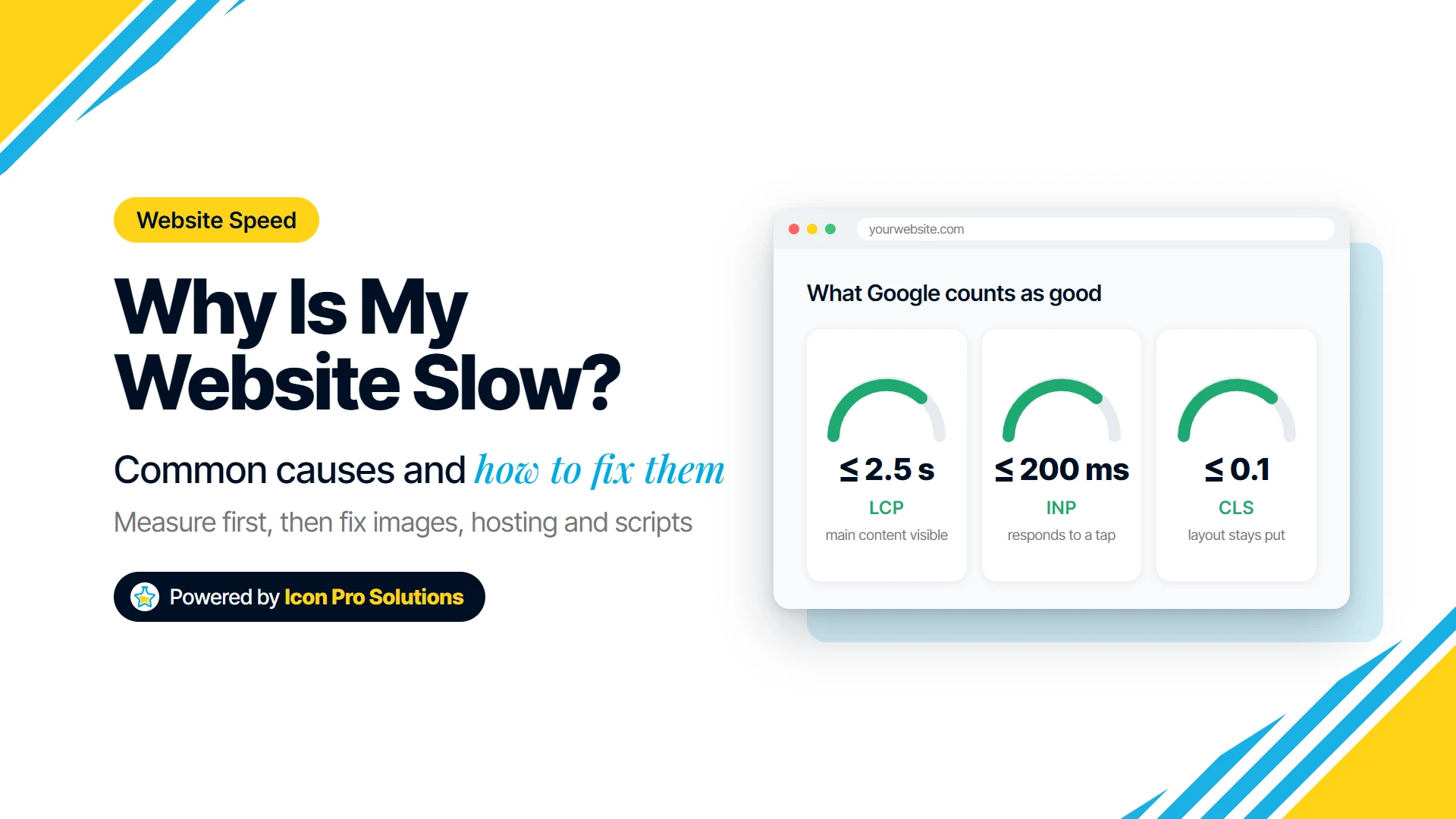
- Google measures speed with three Core Web Vitals. A good page loads its main content (LCP) within 2.5 seconds, responds to a tap or click (INP) within 200 milliseconds, and keeps its layout stable (CLS 0.1 or less).
- Converting photos to WebP makes them smaller without a visible loss: Google reports WebP files 25 to 34% smaller than comparable JPEGs.
- A server that takes longer than 0.8 seconds to start responding holds back everything else, and no amount of image work fixes that.
- Fix in order: measure, images, hosting and caching, then scripts and plugins.
How Do You Check How Slow Your Website Really Is?
Run your page through PageSpeed Insights, Google’s free speed test. It gives you two kinds of result, and the difference matters:
- Lab data is one test, run by Google from a controlled environment. Google describes it as useful for debugging but notes it “may not capture real‑world bottlenecks.”
- Field data comes from real Chrome users who visited your site over the previous 28 days. It is what your visitors actually experienced. Small or new sites often do not have enough visitors to show it.
The field data is scored against Google’s three Core Web Vitals:
| Metric | What it measures | Good |
|---|---|---|
| Largest Contentful Paint (LCP) | how long the main content takes to appear | 2.5 s or less |
| Interaction to Next Paint (INP) | how quickly the page responds to a tap, click or key press | 200 ms or less |
| Cumulative Layout Shift (CLS) | how much the page jumps around while loading | 0.1 or less |
Google judges each one at the 75th percentile of page loads, separately for mobile and desktop. In plain terms, three out of four visits need to be good, not just your own visit on office Wi‑Fi.
Test the pages that matter most, not only the home page: a service page, a product page, a blog post. Each one can be slow for a different reason.
What Makes a Website Slow?
1. Images Far Bigger Than the Page Shows
This is one of the most common causes. A photo straight off a phone or camera is often 4,000 pixels wide or more. If your layout shows it in a column 600 pixels wide, every visitor still downloads all 4,000 pixels, and the browser throws most of them away.
The fix is to resize each image to the largest size it is actually displayed at, allowing for sharp screens (roughly twice the display width is plenty). Our free Image Resizer does this in your browser: set a longest side, or pick a preset, add as many images as you like, and download them as a ZIP. Nothing is uploaded, and it never scales a small image up, because that only makes it blurry.
2. Images in the Wrong Format
JPG and PNG are older formats. WebP does the same job in less space: Google’s own figures put WebP lossy images at 25 to 34% smaller than comparable JPEGs, and WebP lossless images at 26% smaller than PNGs. Every current major browser displays WebP, including Safari from iOS 14 and macOS Safari 16.
Our free Image Converter turns JPG, PNG, GIF, BMP, SVG and AVIF files into WebP, one at a time or a whole folder at once. A quality setting of 80 to 90 is the usual sweet spot, and capping the longest side at the same time saves more than quality alone.
Like the resizer, it runs entirely in your browser. One honest limit: it cannot open iPhone HEIC photos, because browsers cannot decode them. Export those as JPG on the phone first.
Resize first, then convert. Doing both usually shrinks a photo to a fraction of its original size.
3. The Server Is Slow to Respond
Before the browser can load anything, your server has to start answering. That wait is called Time to First Byte (TTFB), and Google says most sites should aim for 0.8 seconds or less. If your TTFB is high, the page is slow before a single image loads.
The usual causes are cheap shared hosting that puts hundreds of sites on one server, a server located far from your visitors, and pages that are rebuilt from the database on every visit. Our guide to what matters in small business web hosting covers what to look for, and our managed web hosting is the version where we look after it for you.
4. No Caching
Caching means keeping a ready-made copy of a page so the server does not rebuild it for every visitor. A content delivery network (CDN) goes a step further and stores copies on servers around the world, closer to each visitor. A site with neither does far more work than it needs to on every single visit.
5. Too Many Plugins and Third-Party Scripts
Every chat widget, tracking pixel, booking embed, social feed and pop-up adds code that each visitor’s browser has to download and run. Some of it loads from other companies’ servers, which you cannot speed up. These scripts are the usual reason a page looks loaded but ignores the first few taps, which is exactly what INP measures.
List everything the site loads and ask of each one: does this still earn its place? Marketing tags added for a campaign that ended two years ago are common.
6. Fonts and Code That Block the Page
Custom fonts, and CSS and JavaScript files loaded at the top of the page, can stop anything from appearing until they finish downloading. Using fewer font families and weights, and loading non-essential scripts later, lets the content show first.
7. The Main Image Is Lazy-Loaded
Lazy-loading tells the browser to wait before loading an image, which is right for images further down the page and wrong for the big one at the top. Google is blunt about it: “Never lazy-load your LCP image.” Many themes and plugins lazy-load every image by default, including the hero, which directly delays your LCP score.
8. The Layout Jumps While Loading
If text moves just as someone goes to tap it, the cause is usually an image, ad or embed with no reserved space, which pushes everything down when it arrives. Giving images a width and height, and reserving space for ads and embeds, fixes most of it. This is what the CLS score measures.
Why Is My Website Slow on Mobile but Fine on Desktop?
Because phones have slower processors and often slower connections than a desktop computer, the same page costs them more. Heavy JavaScript hurts most, since the phone has to run it, not just download it.
It is also why PageSpeed Insights scores mobile and desktop separately: a page can pass on desktop and fail on mobile. Test the mobile result first, since that is the harder one to pass and, for most small businesses, the one more visitors see.
Why Is My WordPress Website Slow?
WordPress sites are slow for the same reasons as any other site, with two that are especially common: a pile of plugins, each adding its own scripts and styles to every page, and hosting that rebuilds each page from the database on every visit with no caching in front of it. Our list of the WordPress plugins every site needs, and the ones to skip is a good place to start trimming.
How Do You Fix a Slow Website? The Order That Works
- Measure first. Run your key pages through PageSpeed Insights and note the LCP, INP and CLS for mobile.
- Fix the images. Resize them to the size they are shown at, convert them to WebP, and make sure the main image at the top is not lazy-loaded.
- Check the server. If TTFB is above 0.8 seconds, look at caching and hosting before anything else.
- Cut scripts and plugins. Remove what you no longer use, and load the rest later where you can.
- Measure again, and wait for the field data to catch up: it covers the previous 28 days, so it improves gradually, not overnight.
When Is It Time to Get Help?
If you have resized and converted your images and the site is still slow, the remaining causes (hosting, caching, scripts, the way the theme is built) are harder to fix without changing how the site works.
That is the point where our speed optimization service comes in: we measure, find what is actually holding your pages back, and fix it. And if the site is slow because of how it was built, a redesign and rescue can be the better investment. Book a free consultation and we will look at your site with you.
FAQs
Does Website Speed Affect Google Rankings?
Yes, but it is not the deciding factor. Google says “Core Web Vitals are used by our ranking systems”, and also that it “always seeks to show the most relevant content, even if the page experience is sub-par.” Speed helps most when several pages answer a search equally well.
What Is a Good Page Load Time?
Google does not use a single load time. It uses the three Core Web Vitals: main content visible within 2.5 seconds (LCP), responses to taps within 200 milliseconds (INP), and a layout shift score of 0.1 or less (CLS).
Will Converting My Images to WebP Break My Website?
Not for visitors on a current browser: every major browser displays WebP, including Safari from iOS 14 and macOS Safari 16. Keep your original files as a backup, and check any older system that reuses your images, such as an email newsletter tool, which may still expect JPG or PNG.
Why Is My PageSpeed Score Different Every Time I Test?
The score comes from lab data, a single test run under controlled conditions, so network and server conditions at that moment change it from run to run. The field data, from real visitors over 28 days, is the steadier and more meaningful number.