Have you ever copied a piece of text and then spent the next five minutes manually retyping it in a different format just to match a naming convention or style guide? Whether it is turning a heading into a URL slug, renaming a database column, or preparing a variable name for your code, these small repetitive tasks eat up more of your day than you realize.
There is a smarter way to handle it, and it takes less than a second.
At Icon Pro Solutions, we build free, fast, browser-based tools designed to save you time without compromising your privacy. Our Case Converter is one of those tools. It transforms any text into sentence case, title case, camelCase, snake_case, kebab-case, and more, instantly, right inside your browser. No account needed, and your text never leaves your device.
What Is a Case Converter?
A case converter is a tool that takes a piece of text and reformats it into a specific casing style. Different industries and disciplines have their own conventions for how text should be written, and switching between them manually is error-prone and tedious. A good case converter handles all of them in one place.
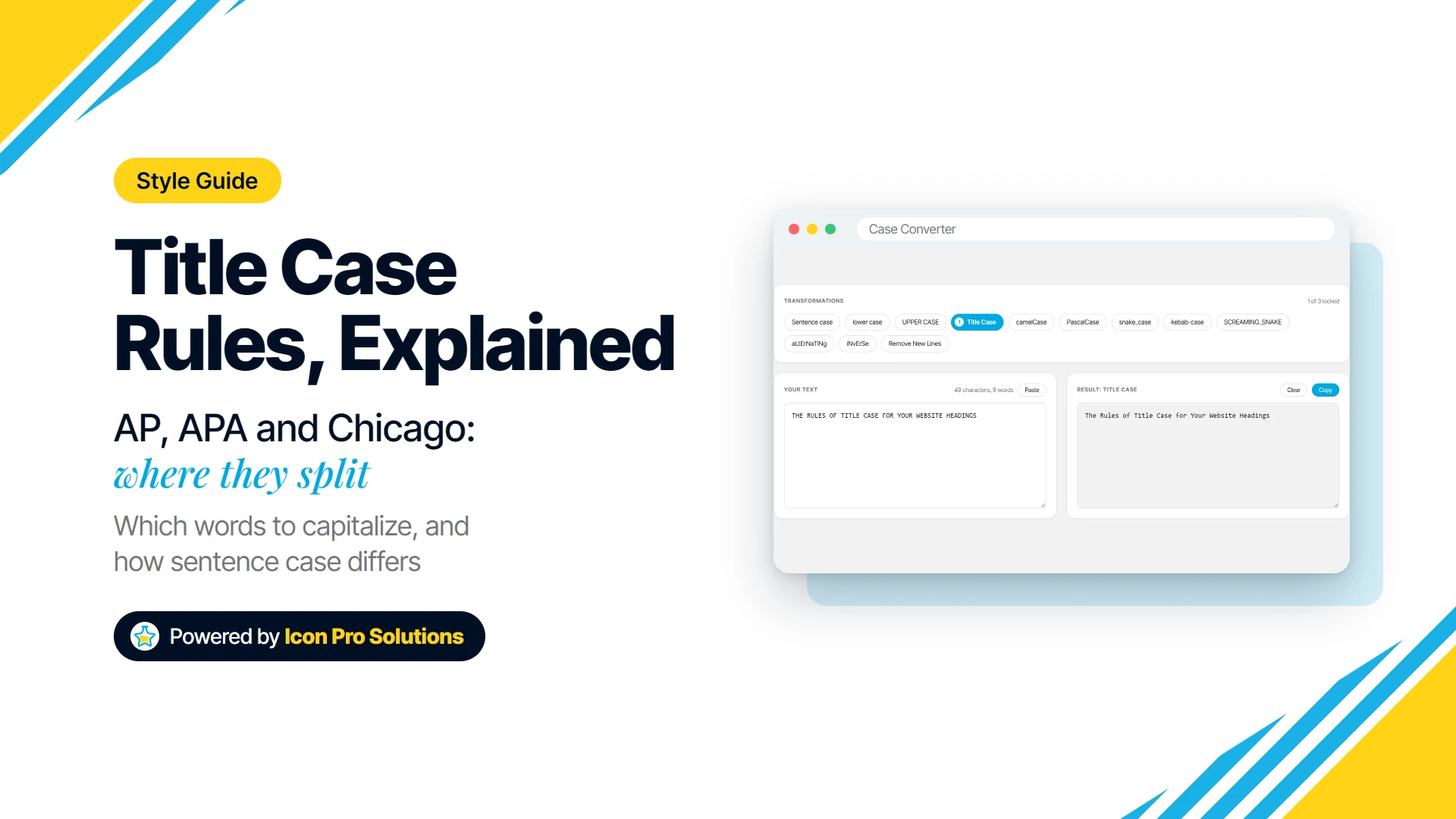
Here is a quick look at the cases our tool supports and where each one is used:
-
Sentence case: Capitalises only the first letter of the first word. Perfect for body text, email subject lines, and UI messages.
-
Title Case: Capitalises the first letter of each major word. Ideal for blog titles, headings, and document names.
-
UPPER CASE: Converts every character to uppercase. Commonly used for constants, acronyms, and emphasis.
-
lower case: Converts every character to lowercase. Useful for normalising data and search tokens.
-
camelCase: No spaces, each word after the first starts with a capital letter. The standard for JavaScript variables, JSON keys, and API parameters.
-
PascalCase: Like camelCase but the first word is also capitalised. Used for class names, React components, and TypeScript interfaces.
-
snake_case: Words separated by underscores, all lowercase. The convention in Python, Ruby, SQL column names, and many file naming systems.
-
kebab-case: Words separated by hyphens, all lowercase. The standard for CSS class names, HTML attributes, and URL slugs.
-
SCREAMING_SNAKE (also called CONSTANT_CASE): All uppercase with underscores. Used for environment variables and configuration constants across most languages.
-
aLtErNaTiNg: Alternates lower and upper case letter by letter, starting in lower case. Mostly for fun and social posts.
-
iNvErSe: Flips every letter, so capitals become lower case and lower case becomes capitals. Handy when a caps lock slip reversed a sentence.
-
Remove New Lines: Joins text onto one line and collapses the extra spaces. Useful for text pasted from a PDF or an email that breaks lines in the wrong places.
Why Use the Icon Pro Solutions Case Converter?
There are other case converters online, so what makes ours different? The answer comes down to two things: speed and privacy.
Most online text tools work by sending your input to a server, processing it remotely, and returning the result. That means every word you type passes through someone else’s infrastructure. For sensitive work like internal project names, client data, and confidential documents, that is a real concern.
-
100% Browser-Based: Our tool runs entirely using native JavaScript in your browser. Your text never leaves your device and is not stored anywhere. The page only sends anonymous usage counts, never what you type.
-
Works Offline: Once the page is loaded, you do not need an internet connection. Use it on a plane, a train, or anywhere your connection drops.
-
Instant Results: Click a case to lock it, and the result updates in real time as you type. You can chain up to three, for example Remove New Lines and then Sentence case, and they run in the order you pick them.
-
One-Click Copy: The Copy button puts the result on your clipboard, ready to paste wherever you need it.
-
Built-In Text Stats: See your character and word count update live as you write.
Who Is This Tool For?
-
The Developer: You are switching between JavaScript, Python, and SQL and need your variable names reformatted without breaking your flow.
-
The Content Writer: You need to check whether your headlines follow title case rules, or quickly prepare text for a CMS slug field.
-
The Data Analyst: You are cleaning up a spreadsheet and need to standardise column names before importing them into a database.
-
The Designer: You are building a design system and need to name tokens, components, and variables consistently across your team.
How to Use the Case Converter
Getting started takes no setup at all. Here is how it works:
-
Open the tool: Visit the Case Converter page on the Icon Pro Solutions website.
-
Type or paste your text: Drop any text into the input field at the top of the page.
-
Pick a case: Click the one you want, such as snake_case or Title Case. The result appears at once and keeps up as you type.
-
Copy the result: Click Copy to put it on your clipboard.
-
Paste and move on: No extra steps, no account, no friction.
Frequently Asked Questions
Q: Does the Case Converter store or save my text?
A: No. The tool runs entirely inside your browser using JavaScript. Nothing you type is sent to any server. Your text exists only in your browser tab and disappears the moment you close or refresh the page.
Q: Do I need to create an account to use it?
A: Not at all. The Case Converter is completely free and requires no sign-up, no login, and no subscription. Just open the page and start converting.
Q: Can I use it on my phone or tablet?
A: Yes. The tool is fully responsive and works on any modern browser across desktop, tablet, and mobile devices.
Q: What happens if my internet connection drops while I am using it?
A: Since the tool runs entirely in your browser, losing your internet connection has no effect on it. Once the page is loaded, it works completely offline.
Q: How is this different from just using Find and Replace in my editor?
A: Find and Replace handles one substitution at a time and requires you to know exactly what you are looking for. The Case Converter splits text into words at spaces, hyphens and underscores, so it can turn a heading or a snake_case name into any of its twelve formats in one click. It does not split camelCase input such as myVariableName, so add spaces first.
Ready to Stop Retyping and Start Converting?
The next time you find yourself manually reformatting text, remember there is a faster way. At Icon Pro Solutions, we are constantly building tools that remove the friction from your workflow so you can focus on the work that actually matters.