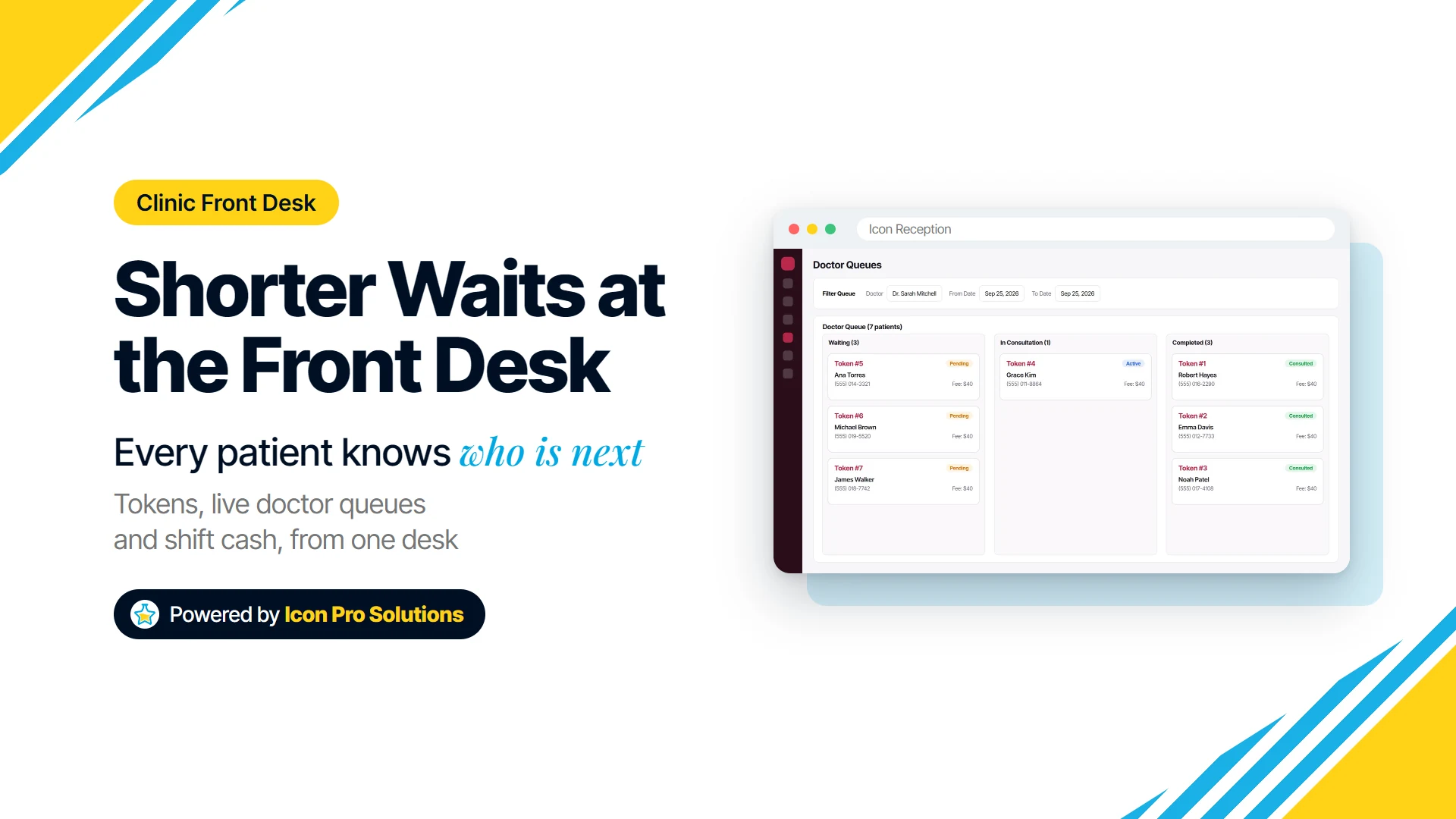
Many long waits at a walk-in clinic are made worse at the front desk, not in the consulting room. The desk does not know, or does not say, who is next, which doctor is actually in, and how long the delay really is.
This guide is for managers and owners of walk-in clinics, outpatient departments and multi-doctor practices. It covers the fixes that cost nothing, the ones where software helps, and where it does not, using Icon Reception, the clinic front desk app we build, as the worked example.
Key Takeaways
- Patients judge a wait by how long it feels as well as how long it is, so an uncertain wait can hurt more than a long but explained one.
- Giving each doctor a separate queue and token sequence stops one busy doctor’s line from swallowing everyone else’s.
- The whole desk should work from one live queue: Waiting, In Consultation, Completed, with the current and next patient visible to every receptionist.
- Checking which doctors are in, and who arrived late, before issuing the next token is the cheapest way to avoid promising a wait you cannot keep.
- Software records the queue; it does not add doctors, fix a rota, or decide who is seen first on clinical grounds.
Why Do Walk-In Clinic Waits Feel So Long?
A wait feels long when the patient cannot see progress. Someone who knows they are fourth in line for one doctor, and that the doctor is running twenty minutes late, sits differently from someone who has been told nothing for forty minutes.
There is evidence behind this. A 2023 study of outpatients at an eye hospital, published in Medicine (Baltimore), found that satisfaction with waiting depended on how long patients felt they had waited, with the minutes on the clock mattering mainly through that feeling, and concluded that “hospital managers can improve service quality by focusing on adjusting a patient’s subjective waiting time while reducing the objective waiting time.” It is one hospital in one specialty, so treat it as a strong hint rather than a law.
In practice that gives the front desk two jobs. Shorten the real wait where you can, and make the remaining wait visible and honest.
How Long Is Too Long for Patients?
There is no single number, but satisfaction appears to drop early. A study of three years of outpatient visits at a US academic orthopaedic department concluded: “A wait time exceeding 15 minutes in an outpatient orthopaedic clinic was an independent predictor of scoring at or below the 33rd percentile on the Press Ganey survey.”
That was one specialty clinic with scheduled visits, not a walk-in practice. The honest takeaway is narrower: patients start to mark a clinic down well before the wait feels extreme to the staff, so every avoidable minute at the desk counts.
6 Ways to Reduce Patient Wait Times at the Front Desk
1. Make Registration a One-Step Job
Every minute spent writing a returning patient’s details into a paper register is a minute the queue does not move. Worse, two receptionists writing in two books can issue the same number twice.
In Icon Reception the receptionist finds a returning patient by phone number or adds a new one, picks the doctor or service, and the token and receipt print the moment the visit is saved. The slip prints on an A5 doctor pad or a thermal receipt, so the patient leaves the counter with their number in hand.
2. Give Every Doctor Their Own Queue and Token Numbers
A single shared line for several doctors hides the real problem. Three patients waiting for a quiet doctor stand behind ten waiting for a busy one, and nobody can say who is next for whom.
Icon Reception issues token numbers per doctor and resets them each day, so token 7 for one doctor never clashes with token 7 for another. Doctor limits by age and gender flag a patient being registered to a doctor who does not see that age group or gender, before they join the wrong queue.
3. Let the Whole Desk See the Same Queue
When the queue lives in one person’s head, or one notebook, the desk stalls every time that person steps away. Patients then hear different answers from different staff, which feels worse than a long wait.
In Icon Reception each doctor’s queue moves from Waiting to In Consultation to Completed and updates live on every screen at the desk. A current and next patient view tells staff exactly who to call, and a read-only monitor role lets someone watch the queues without being able to change them.
4. Know Which Doctors Are In Before Issuing the Next Token
The worst waits start with a promise the desk cannot keep: a token handed out for a doctor who has not arrived yet. The patient waits, the doctor arrives late, and nobody told anyone.
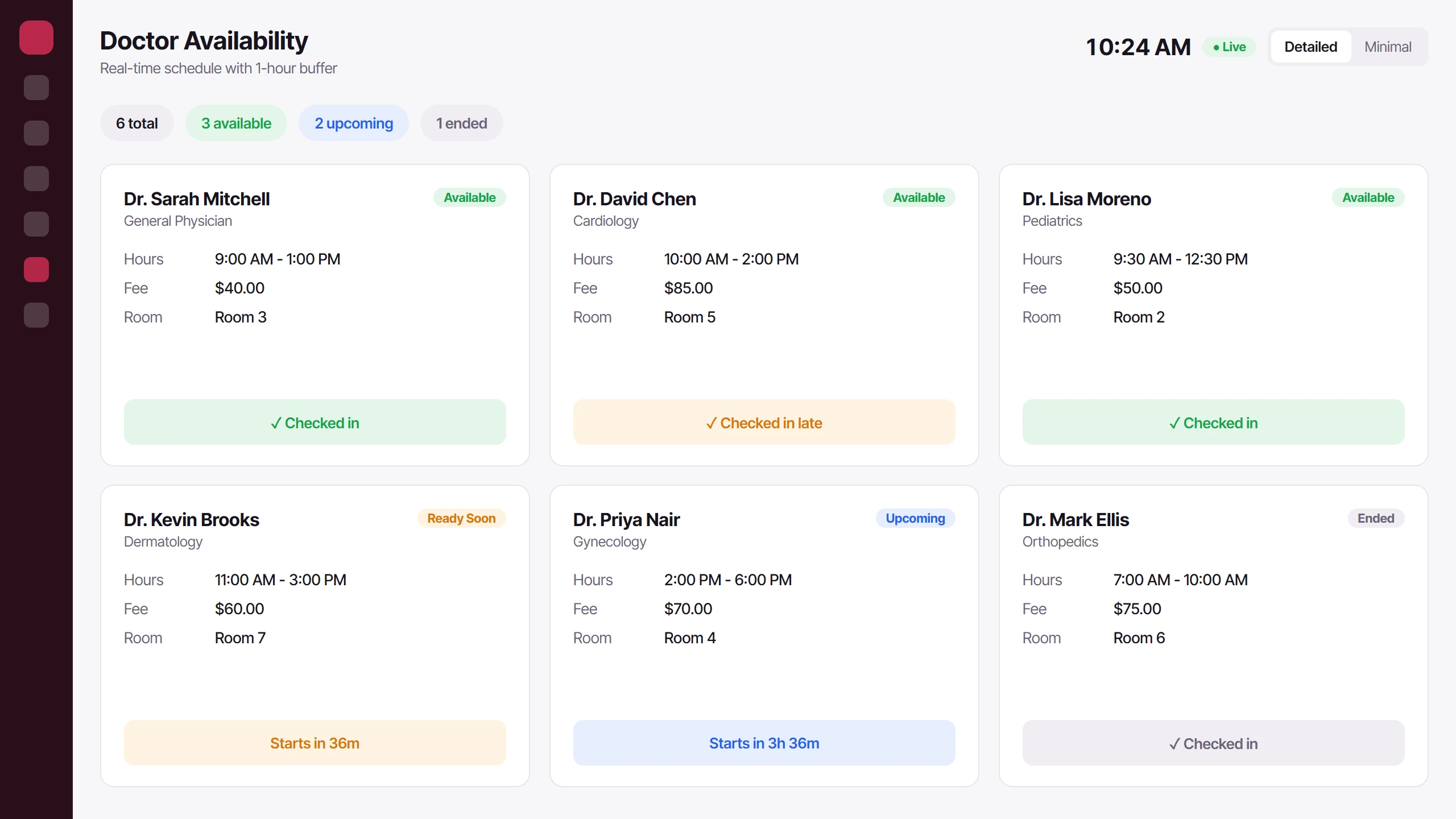
Icon Reception keeps a live schedule showing which doctors are Available, Ready Soon, Upcoming or Ended, and when the next session starts. Daily attendance marks each doctor Present, Late, Absent or On Leave, so the desk can check before registering and steer patients to a doctor who is actually in.
5. Tell Waiting Patients What Is Happening
This one needs no software at all. When a doctor is running late, say so early, give a realistic time, and offer the choice of another doctor if one is free.
A short script helps staff do it the same way every time: who is late, roughly how long, and what the patient can do. Update people when the estimate changes, rather than waiting for them to come and ask.
6. Keep Shift Changes From Stalling the Desk
Cash at the desk slows everything down when the shift ends. The outgoing receptionist counts, the total does not match, and patients wait while two people argue over a drawer.
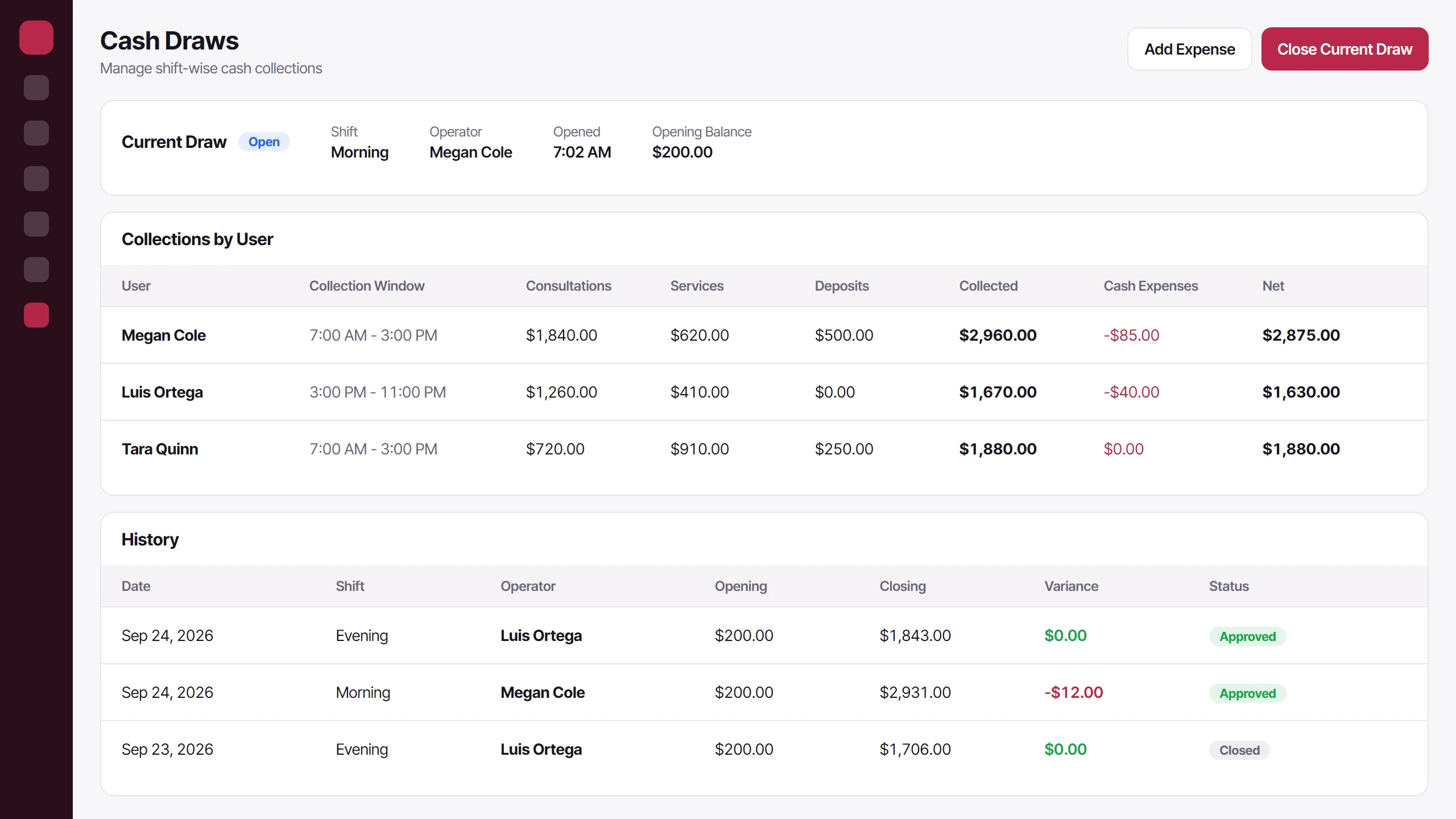
In Icon Reception the receptionist opens a cash draw at the start of each morning, afternoon, evening or night shift and counts it out at close. Collections are shown by user, and any variance goes to an admin for approval, so the handover is a count rather than an investigation.
What Software Cannot Fix at a Clinic Front Desk
If there are more patients than doctor hours, no queue system will shorten the wait. It will only show you, clearly, that the clinic is understaffed for that session.
Software also cannot fix a rota that puts two doctors on at the quiet time and one at the rush, or a doctor who routinely arrives late. Attendance records make that pattern visible, but changing it is a management conversation.
Deciding who is seen first on clinical grounds is not a front desk software job either. Follow your clinic’s own policy for urgent cases, and make sure staff know it applies before the token order.
How Do You Know If Waits Are Getting Shorter?
Measure it before you change anything. For one ordinary week, note by hand the time a sample of patients registers and the time they go in to see the doctor.
Repeat the same sample after a month of the changes above. Look at the busiest session, not the daily average, because that is where patients form their opinion of the clinic.
Is Icon Reception Right for Your Clinic?
Icon Reception suits a walk-in clinic or outpatient practice where one front desk registers patients for several doctors, prints tokens and receipts, and takes cash across more than one shift. It fits best if you want every receptionist working from the same live queue and the same view of which doctors are in.
You can see registration, doctor queues, availability and cash draws on our software page. If you would like to talk through whether it fits your clinic, book a free consultation with us.
FAQs
Should a Walk-In Clinic Use First Come, First Served?
For routine visits it is the easiest order for patients to understand and trust. It works best per doctor, with a clear token number, and with a written exception for urgent cases so staff are not improvising when one arrives.
What Is a Token System in a Clinic?
A token system gives each patient a numbered slip when they register, and the doctor sees patients in number order. It replaces “who was here first?” arguments with a printed, visible sequence.
Can One Receptionist Manage Queues for Several Doctors?
Yes, if each doctor has a separate queue and the receptionist can see all of them at once. The limit is usually the counter itself: at busy sessions a second person registering patients helps more than any screen.
How Often Should a Clinic Count the Front Desk Cash?
At every shift change, and whenever the person responsible for the drawer changes. Counting only at the end of the day makes a shortfall impossible to trace to one shift or one person.