The test itself is only part of the wait for a lab report. Much of the time can go on everything around it: results copied from worksheets, reports built in Word, results waiting for someone to verify them, and staff stopping work to answer “is it ready?” calls.
This guide is for owners and managers of diagnostic and pathology labs and collection centers who want reports out faster without cutting corners. Each section covers one delay, what fixes it, and how Icon Laboratory, the lab software we build, handles that step.
Key Takeaways
- Report turnaround has three parts: before the test, the test itself, and reporting. In a small lab the reporting part is often the easiest to shorten.
- Typing each result once, straight into a system that flags it against the right reference range, removes both a copying step and a checking step.
- A report built automatically from verified results, on your letterhead, ends the Word formatting stage completely.
- Clearing the verification queue at set times, and releasing and sending as soon as it is clear, stops finished work from sitting idle.
- Measure turnaround every month. An average hides the slow orders, so check the oldest open work as well.
What Is Lab Turnaround Time, and Which Part Can You Control?
Lab turnaround time is the time from a test being ordered to its result reaching the person who needs it. A review by Hawkins in The Clinical Biochemist Reviews splits it into “pre-analytical (order to preparation), analytical (analysis) and post-analytical (reporting to action) phases.”
The same review notes that “TAT is one of the most noticeable signs of a laboratory service and is used by many clinicians to judge the quality of the laboratory.” It is written mainly about hospital labs, but patients and referring doctors judge you the same way.
Of the three phases, reporting is the one an independent lab controls most completely. It happens inside your walls, it is done by your staff, and much of it is clerical work that software can take over.
Where Does the Time Go in a Small Lab?
Walk one order through your lab and time each hand-off. Common culprits include:
- Results written on a worksheet, then typed into a report later.
- Each report formatted by hand in Word, with ranges and flags added manually.
- Finished results waiting for the pathologist or senior technologist to check them.
- Nobody able to say where an order is without walking to the bench.
- A report that is ready but has not been sent, because printing and delivery happen in batches.
None of these involve the analysis itself, which makes them the place to start.
7 Ways to Cut Report Turnaround Time
1. Enter Each Result Once
Every time a result is copied from one place to another, it takes time and invites a typing error that then needs a second check.
The fix is to type each result once, into the system that will produce the report. In Icon Laboratory, results are entered against the order itself, and the order and invoice were created together in one step when the order was taken, so nothing is re-keyed later.
2. Flag Results Against the Right Range as They Are Typed
Looking up reference ranges and marking abnormal values by hand is slow, and a missed flag is a real risk.
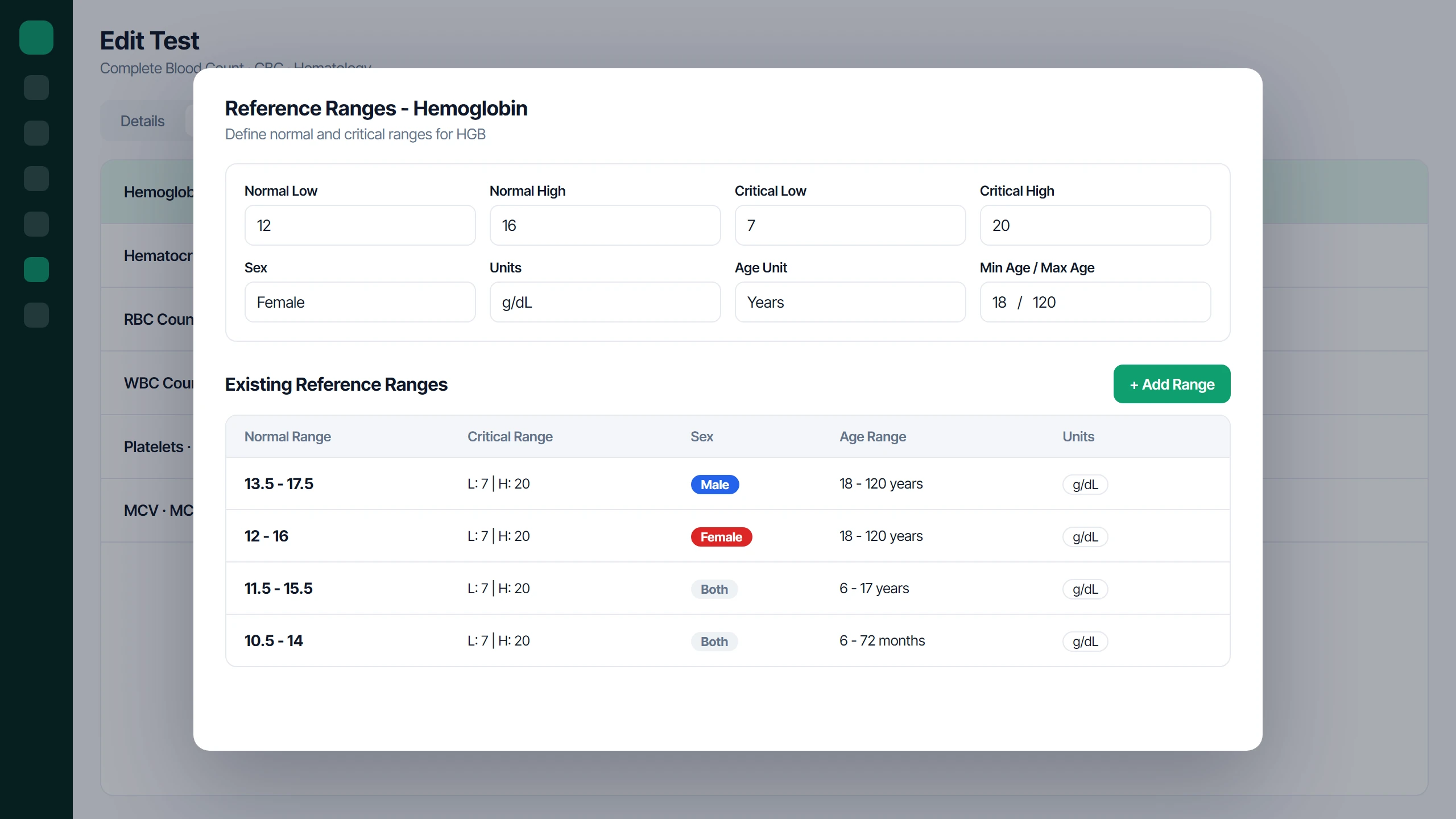
Icon Laboratory flags each result against the patient’s reference range as it is typed, with ranges matched to sex and age. Values are marked High or Low against the range, and Critical against the critical low and high limits in your test catalog, so an abnormal value stands out before the report is built.
3. Stop Formatting Reports in Word
Building a report by hand in a word processor is slow, and it is easy to get a unit, range or patient detail wrong.
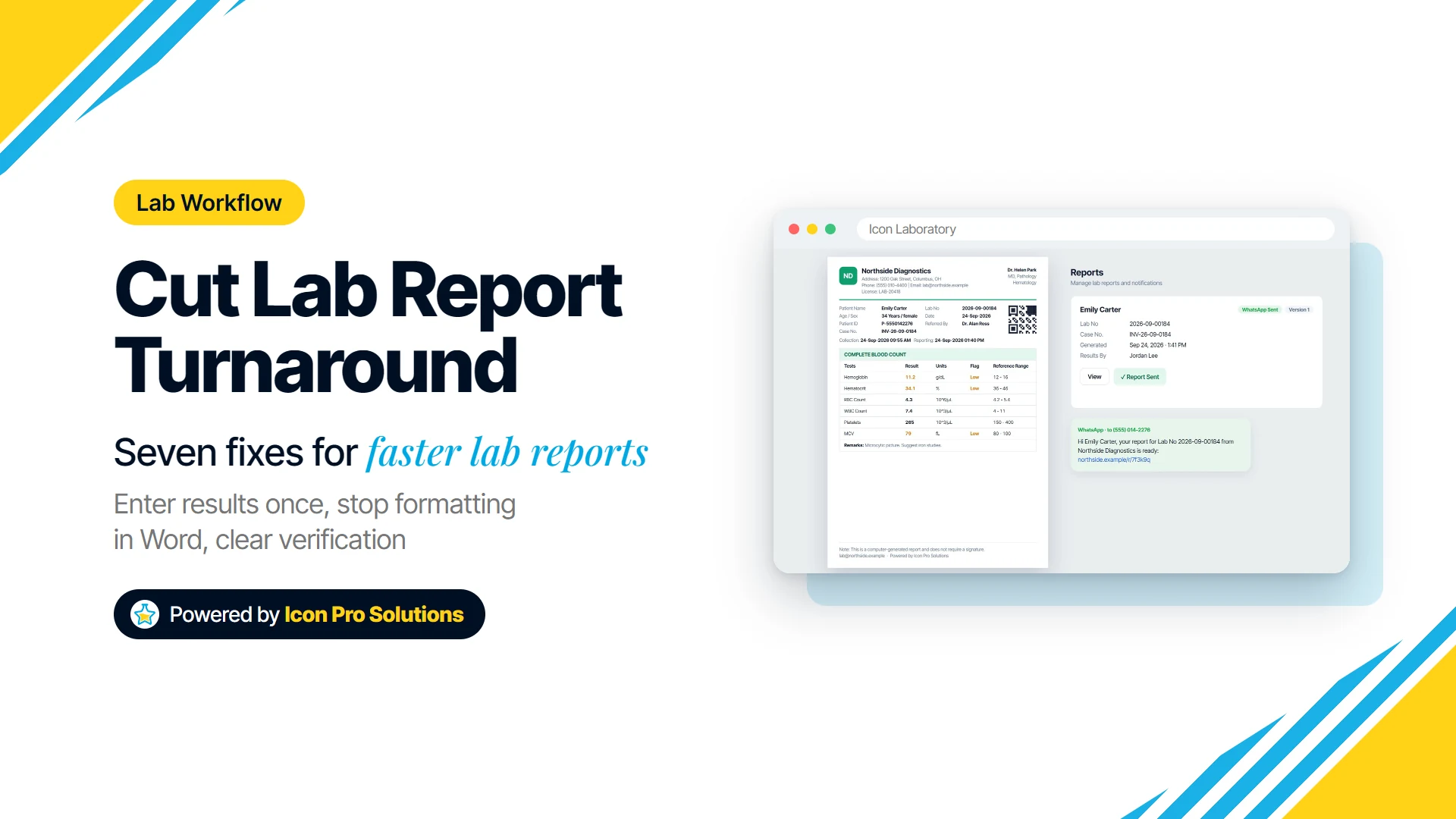
A lab system should build the report from the verified results automatically. In Icon Laboratory, released results print on your letterhead with your logo, license and medical directors, plus the flags, reference ranges and a QR code, so no one assembles a report by hand.
4. Make Priority Visible on Every Order
If urgent work looks the same as routine work, it waits in the same queue, so priority has to be set when the order is taken and seen at every step after.
Icon Laboratory lets you mark each order Routine, Urgent, STAT or ASAP. Priority is shown in a column on the lists of work in progress and work ready to release, so the bench and the person verifying can see what should go first.
5. Clear the Verification Queue at Set Times
Verification is a necessary check, not a formality, and it should never be skipped to save time. What slows labs down is results waiting for a verifier who checks them only when they happen to be free.
Agree fixed verification times through the day, plus an immediate path for urgent and STAT work. In Icon Laboratory, the flow is New Order, Enter Results, Verify All, Release Results, and a Ready to Release tab shows how many verified results are still waiting to go out.
6. Know Where Every Order Is Without Asking
Every “is it ready?” call takes someone away from their work, and if the answer means walking to the bench, it takes two people.
Give each order a clear status that anyone at the front desk can look up. Icon Laboratory tracks every order as Ordered, Processing, Verified or Released, and staff can search by lab number, case number or patient name to answer a caller in seconds.
7. Send the Report the Moment It Is Released
A report that is finished but still sitting in a printer tray is not delivered. Batching printouts for collection at the end of the day can add hours to turnaround without anyone noticing.
Send each report as soon as it is released. Icon Laboratory can send the report to the patient on WhatsApp as a PDF link, so they do not have to come back or call to find out whether it is ready.
How Should You Measure Turnaround Time?
Pick a start point and an end point, and keep them the same every month. From test ordered to result released is a practical choice for report turnaround.
Be careful with averages. Hawkins explains that turnaround times are skewed, with a long tail of slow results, “meaning that median and tail size are the preferred measures.” In plain terms, the slowest reports need watching as well as the typical one, and an average can hide them.
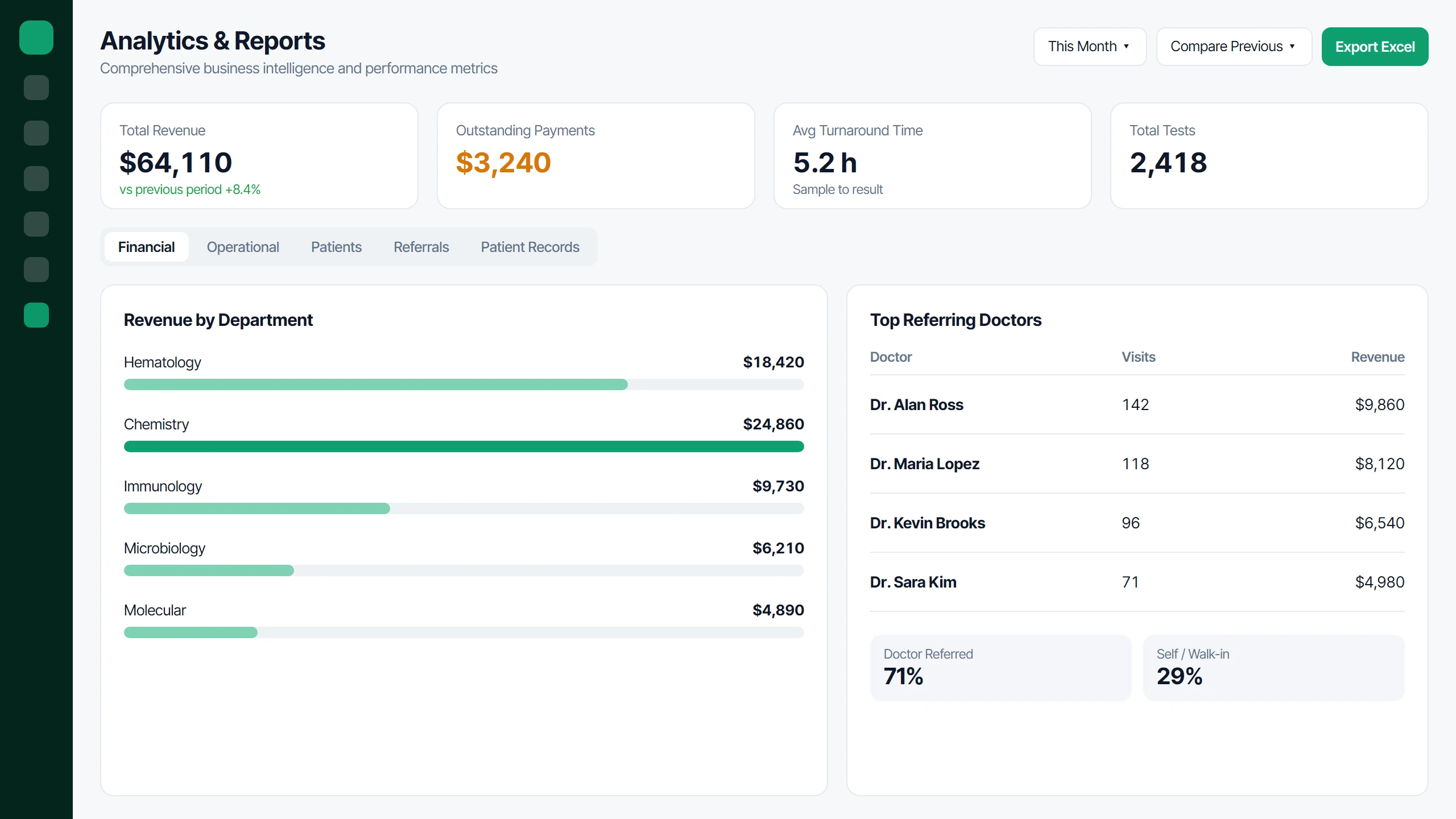
Icon Laboratory shows average turnaround time in hours, measured per test from the time it was ordered to the time its result was released, for any period and compared with the previous one. It is an average, so use it to spot the trend, and look at the oldest items in the In Progress tab each day to catch the slow ones.
What Software Cannot Fix
Software speeds up reporting. It does not move samples, run analyzers or add staff.
If samples arrive late from collection points, if an instrument is already running at full capacity, or if one person is covering reception, the bench and verification, those delays stay until you change the process, the equipment or the rota. Hawkins makes the same point about labs in general: “Despite advances in analytical technology, transport systems and computerisation, many laboratories have had difficulties improving their TATs.”
Time each stage before you buy anything. If most of the delay is before the sample reaches the bench, fix transport and scheduling first.
A Simple 30-Day Plan
- Week 1: measure. Time 20 orders from ordered to delivered, stage by stage.
- Week 2: remove the copying. Enter results once, into one system, and stop building reports by hand.
- Week 3: fix the queue. Set verification times, make priority visible, and send reports as soon as they are released.
- Week 4: compare. Time the same stages again, slowest orders included.
Is Icon Laboratory Right for Your Lab?
Icon Laboratory suits independent diagnostic and pathology labs and collection centers that want orders, results, reports and billing in one place. It fits best if you run single tests and panels, want reports on your own letterhead, and would like to send reports to patients on WhatsApp, which is priced per order.
You can see how orders, reports and analytics work on our software page. If you would like to talk through your lab’s workflow and whether it fits, book a free consultation with us.
FAQs
Does Faster Turnaround Mean Lower Report Quality?
It should not. The gains in this guide come from removing copying, formatting and waiting, not from skipping verification, which stays in place before every release.
Can Icon Laboratory Handle Results That Are Not Numbers?
Yes. Tests in the catalog can take numeric, text or qualitative results, so a written remark or a positive or negative result is recorded alongside numeric values.
Can I Change Test Prices Without Rebuilding the Catalog?
Yes. Prices in the test catalog carry effective dates, so you set the new price for a test and the date it takes effect.
What Else Should a Lab Owner Review Each Month?
Revenue by department, outstanding payments, total discounts and top referring doctors. Icon Laboratory shows each for any period, compared with the last, with Excel export.