Payroll mistakes in a small business are rarely dramatic. They are a tax rate typed into the wrong cell, a new starter paid for the whole month, a salary advance that nobody remembered to take back, or a payment that happened with no record of what it covered.
This guide is for owners and office managers who run payroll on a spreadsheet and want to know where it usually goes wrong. Each section names the mistake, why it happens, and how to stop it, with notes on how Icon Payroll, the payroll software we build, handles it.
Key Takeaways
- Many payroll errors start with a number worked out by hand and copied between sheets, so the fix is to calculate every payslip from the same rules at once.
- Anyone who joins or leaves mid-period should be paid for the working days they actually worked, not a full month or a rough guess.
- Salary advances and staff loans need a written installment and a running balance, or they quietly turn into money you never get back.
- Check every pay run before anyone is paid, and keep proof of what was paid: the IRS says to keep employment tax records for at least four years.
- Software removes the arithmetic mistakes, not the judgment calls. Worker classification, filing and the rules that apply in your state are still yours to get right.
What Are the Most Common Payroll Mistakes in a Small Business?
The most common payroll mistakes are wrong tax and deductions, wrong pay for people who join or leave mid-period, untracked loans and advances, one-off payments added outside the payslip, runs paid without a check, tax rules changed blind, and no record of what was paid. Each one is easier to make when pay is worked out by hand, in several places, by one busy person.
1. Working Out Tax and Deductions by Hand
A spreadsheet formula is only as good as the last person who edited it. Copy a row, drag a formula one cell too far, or forget to update a rate, and every payslip below it is wrong.
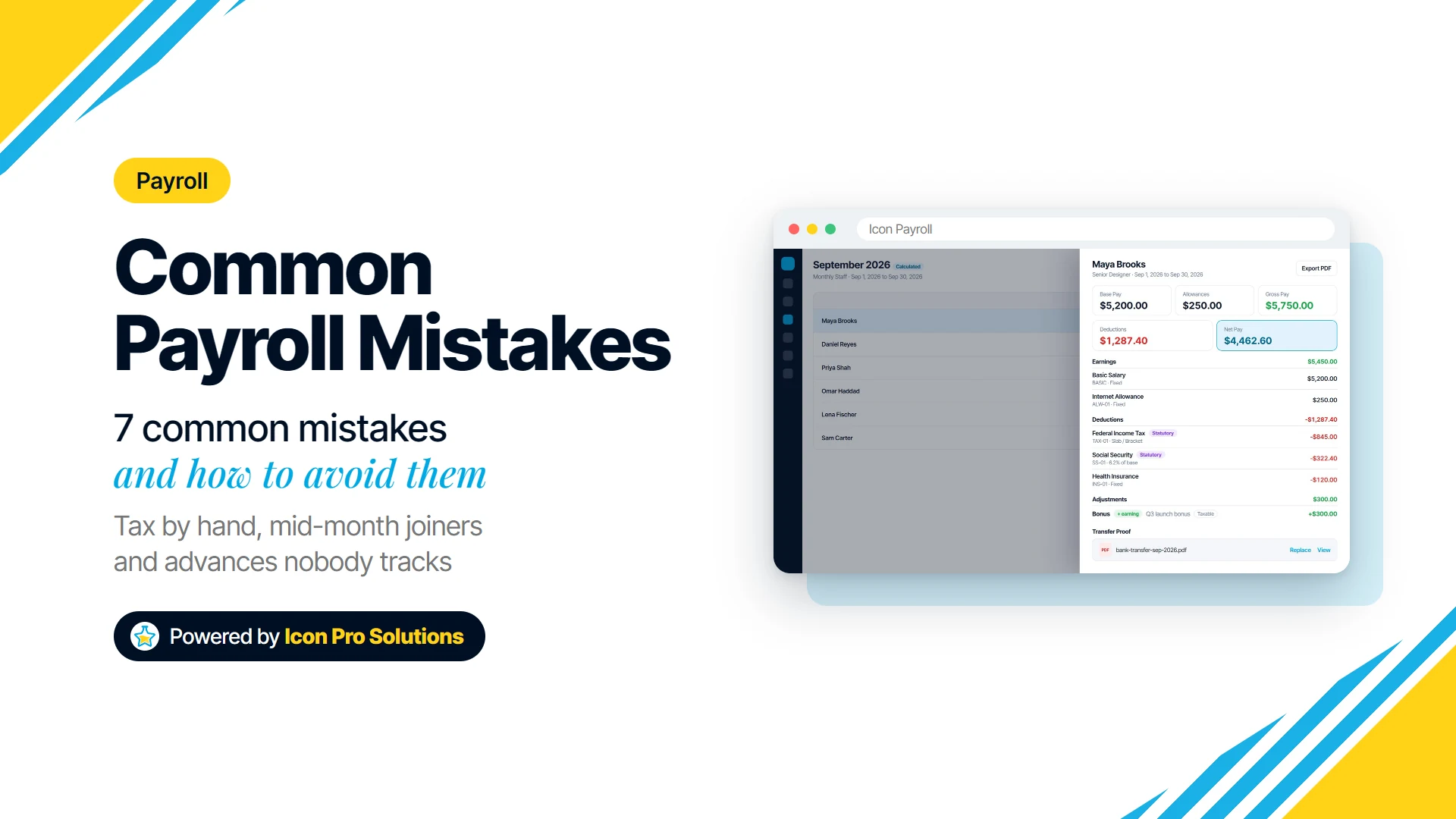
The fix is one set of rules applied to everyone at once. In Icon Payroll you pick a pay group and a period, and every payslip in it is calculated together: base pay, allowances, tax, deductions and loan repayments. Each payslip then shows its earnings, deductions and statutory lines, and how each one was worked out, so a question about a payslip has an answer on the payslip.
2. Paying Joiners and Leavers the Wrong Amount
Someone who starts on the 18th should not get a full month’s salary, and someone who leaves on the 9th should not get nothing. On a spreadsheet, mid-month changes are usually handled by a quick guess or forgotten entirely.
Pay should be prorated by the working days the person was actually employed in the period. Icon Payroll prorates joiners and leavers by working days automatically, and the pay run shows who was prorated and by what percentage, so a partial month is visible instead of hidden inside a total.
3. Losing Track of Loans and Salary Advances
A salary advance agreed in a hallway is easy to give and easy to forget. A few months later, nobody is sure how much has been repaid.
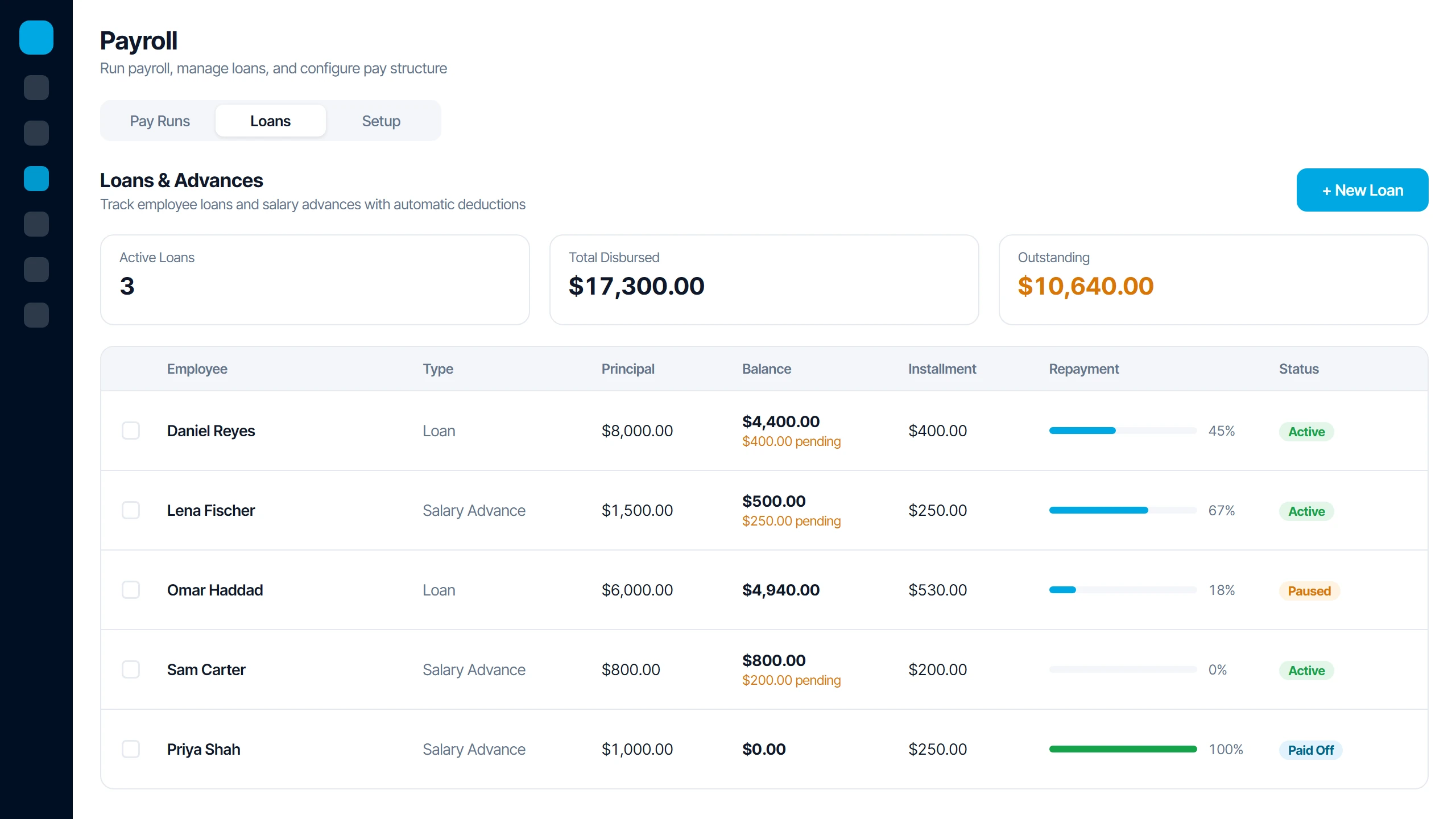
Every advance or loan needs an agreed installment and a balance that only changes when money is actually recovered. In Icon Payroll you set the installment once and it comes off every pay run, never pushing net pay below zero. The balance only drops when the run is marked paid, and you can pause, resume or record a manual payment, with the full repayment history kept.
4. Adding Bonuses and One-Off Deductions Outside the Payslip
A bonus paid by a separate transfer, or a deduction agreed by message, is a payment your payroll records know nothing about. It also never reaches the tax and deduction figures worked out on the payslip.
Put every one-off amount on the payslip itself, with a category. Icon Payroll lets you add a one-off bonus or deduction and recalculates the payslip on the spot, using the categories bonus, commission, reimbursement, arrears and manual deduction. Arrears is the right place to correct someone who was underpaid last period.
5. Paying Before Anyone Checks the Numbers
The most expensive payroll mistake is the one found after the money has left. Recovering an overpayment, or explaining an underpayment, usually takes longer than checking the run first would have.
Build a review step into every run and do not skip it when you are busy. Icon Payroll moves each run through Draft, Calculated, Paid and Closed, and shows warnings before anyone is paid: people with a zero salary, people who were skipped, and anyone whose net pay would go negative.
6. Changing a Tax Rule Without Seeing What It Does
Rates and thresholds change, and so do the deductions you run. Editing a rate in a spreadsheet changes every payslip at once, with no way to see the effect first.
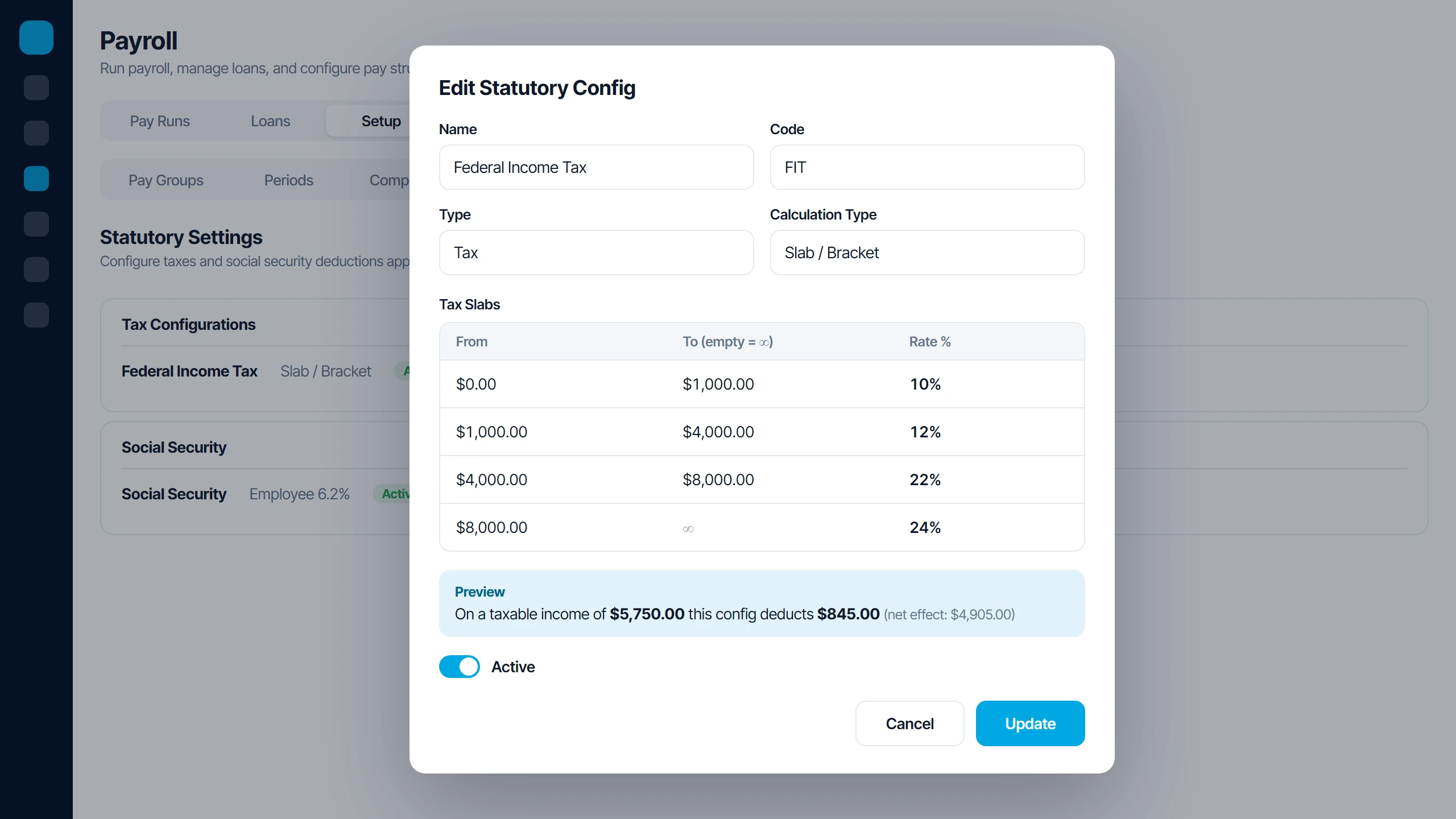
Test a rule change before it touches real pay. In Icon Payroll you set up flat, bracket or threshold taxes and social security, including progressive tax brackets, and preview what each rule deducts before it goes live. Earnings and deductions are set up as components, so a change is made once in one place.
7. Having No Proof of What Was Paid
If a staff member says they were paid short in March, can you show exactly what they were paid and when? Many small businesses cannot, because the spreadsheet was overwritten and the bank transfer has no link to a payslip.
The record-keeping periods are long. The IRS advises: “Keep all records of employment taxes for at least four years after filing the 4th quarter for the year.” The U.S. Department of Labor puts it this way: “Each employer shall preserve for at least three years payroll records, collective bargaining agreements, sales and purchase records.”
Icon Payroll keeps every payslip with its run, and every payslip has a place for its bank transfer proof. Payslips can be emailed to staff and exported as PDF, so both sides hold the same copy.
What Can Payroll Software Not Do for You?
Payroll software removes arithmetic and memory mistakes. It cannot tell you whether someone should be on payroll at all, whether they are an employee or a contractor, or which rates and rules apply in your state.
It also only calculates from what you enter. A wrong salary, a missed start date or an outdated tax rule produces a wrong payslip, just faster and more consistently. Filing returns, depositing tax and meeting local pay rules are separate jobs, so confirm who handles each one, whether that is you, your accountant or another service, before you rely on any tool.
How Should You Check a Pay Run Before Anyone Is Paid?
Check the pay run against a short, fixed list every time, before you mark it paid. The same five questions catch the mistakes above:
- Who is new, and who has left? Confirm their start or end dates and that their pay is prorated.
- Did anyone’s pay change? Look for raises, bonuses, commissions and deductions agreed since the last run, and make sure each is on the payslip.
- Are loans and advances coming off? Check each installment and the balance left after this run.
- Are there warnings? Resolve every zero salary, skipped person or negative net pay before paying.
- Does the total make sense? Compare it with last period and explain any big difference.
Is Icon Payroll Right for Your Business?
Icon Payroll suits a small business that pays staff on a regular cycle, such as Monthly, Weekly or Bi-Weekly, and has outgrown a spreadsheet. It fits best if you give salary advances or staff loans, pay people who join and leave mid-period, and want every payslip explained line by line.
You can see how pay runs, payslips and loans work on our software page. If you want to talk through whether it fits the way you pay your team, book a free consultation with us.
FAQs
What Is the Difference Between a Salary Advance and a Staff Loan?
A salary advance is usually pay brought forward and recovered from the next one or two paychecks. A staff loan is a larger amount repaid in installments over several months, so it needs a written agreement and a running balance.
What Should You Do if You Paid Someone the Wrong Amount?
Tell the person in writing, agree how it will be corrected, and fix it on a payslip so the record matches the money. An underpayment is usually added as arrears in the next run; before deducting an overpayment, check the rules that apply in your state.
Can a Small Business Run Payroll on a Spreadsheet?
Yes, and many do with a handful of people. The risk grows with each person, each mid-month change and each advance, because every one adds another hand-worked number that nobody else checks.
How Often Should a Small Business Run Payroll?
It depends on what you agreed with your staff and the pay frequency rules in your state. Whatever you choose, keep it consistent, because a regular cycle makes each run easier to check against the last one.