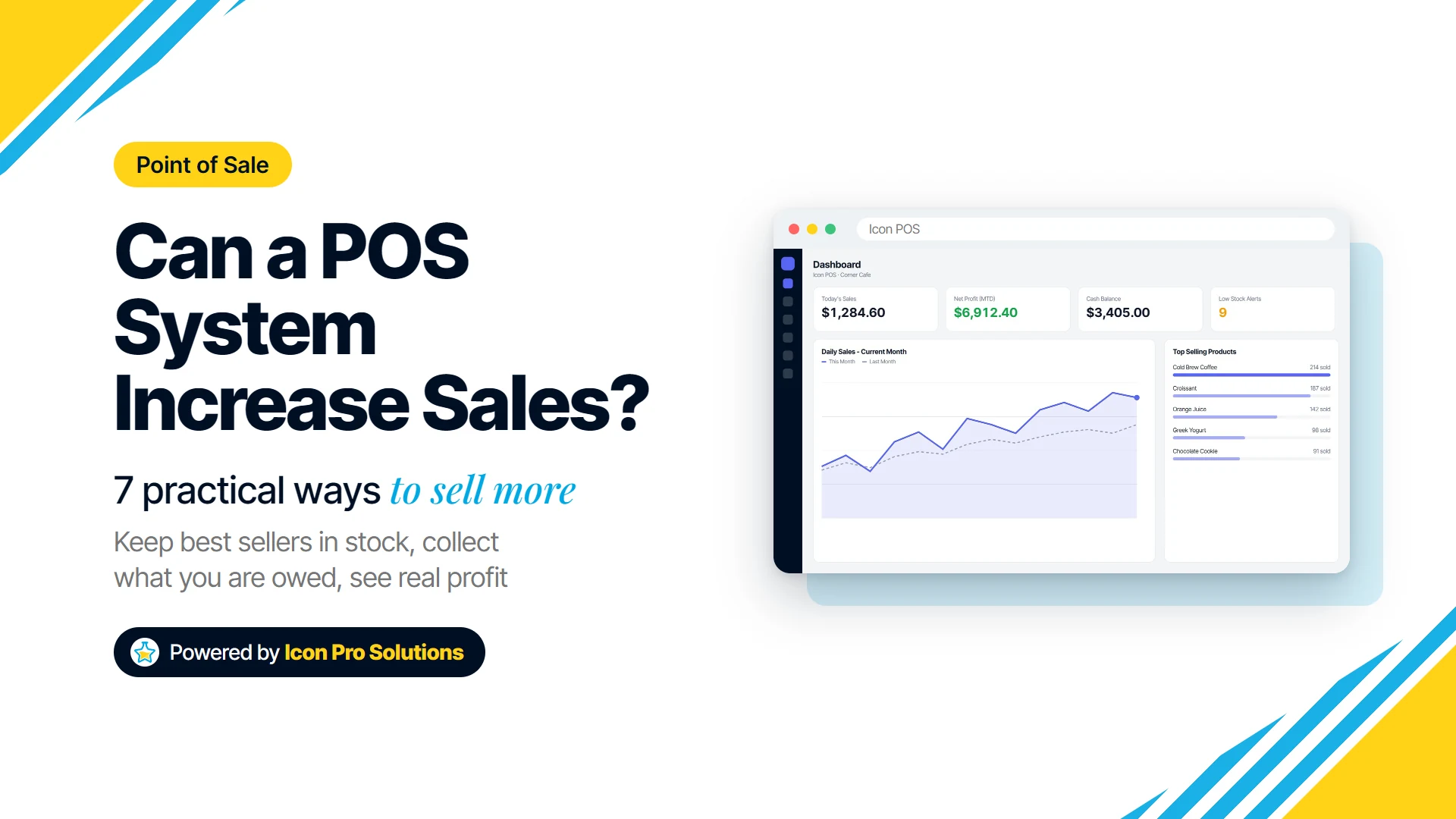
A POS system increases sales mostly by stopping the sales you lose without noticing: best sellers that run out, customers who cannot pay the full amount today, quotes that never become orders, and discounts nobody is counting. It also shows you which products actually sell, so you can stock and push more of them.
This guide is for owners of shops, counters and small wholesale businesses who want to know what a point of sale system will really change, and what it will not. Each section shows the problem, what a POS does about it, and how it works in Icon POS, the point of sale app we build.
Key Takeaways
- A POS system does not create demand. It helps you sell more of what customers already want and keep more of what you sell.
- Low stock alerts set per product protect your best sellers, because a customer who finds an empty shelf usually buys somewhere else.
- Recording partial payments and credit sales lets you say yes to customers who are short today, without losing track of who owes what.
- Sales and discount reports show which products earn money and what your discounts really cost, which is where most pricing decisions go wrong.
- The gains come from using the data: a weekly look at stock, top products, discounts and money owed does more than the software alone.
Can a POS System Really Increase Sales?
Yes, but not in the way a marketing campaign does. A POS system will not bring a single new customer through your door. What it does is close the gaps between a customer wanting to buy and you actually getting paid.
Most small businesses lose sales in the same few places: an item is out of stock, the queue is too long, the customer cannot pay in full, a quote is forgotten, or a discount quietly wipes out the profit. A POS records every sale, so each of those gaps becomes visible. If you are new to the idea, our guide to what a POS is and how it works covers the basics.
The IRS makes the same point about records in general: they “can show whether your business is improving, which items are selling, or what changes you need to make.” A POS keeps those records for you, at the moment of each sale.
7 Ways a POS System Helps You Sell More
1. Keep Your Best Sellers in Stock
A sale you cannot make because the item ran out is a sale you rarely get back. The customer finds it elsewhere, and next time they may go there first.
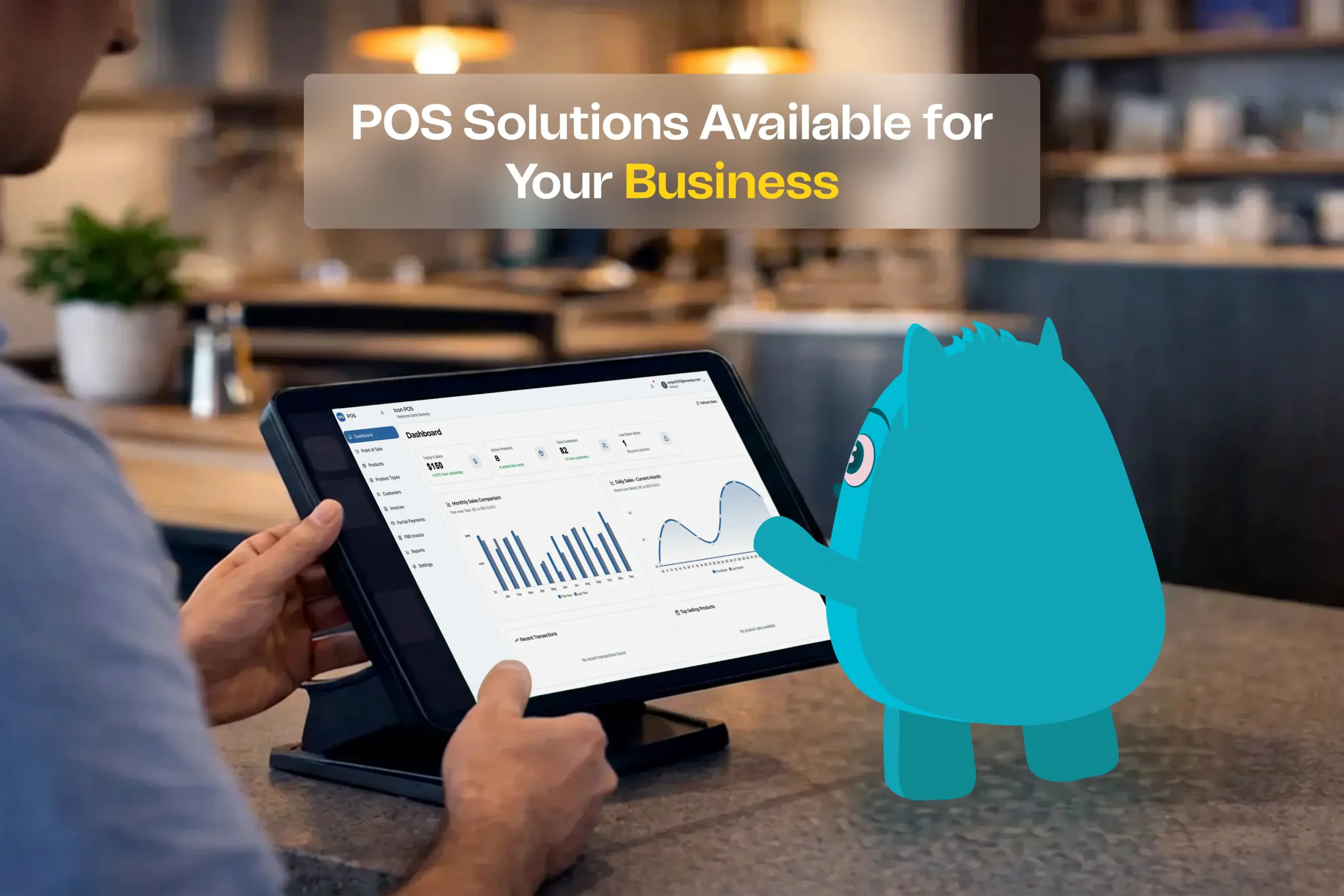
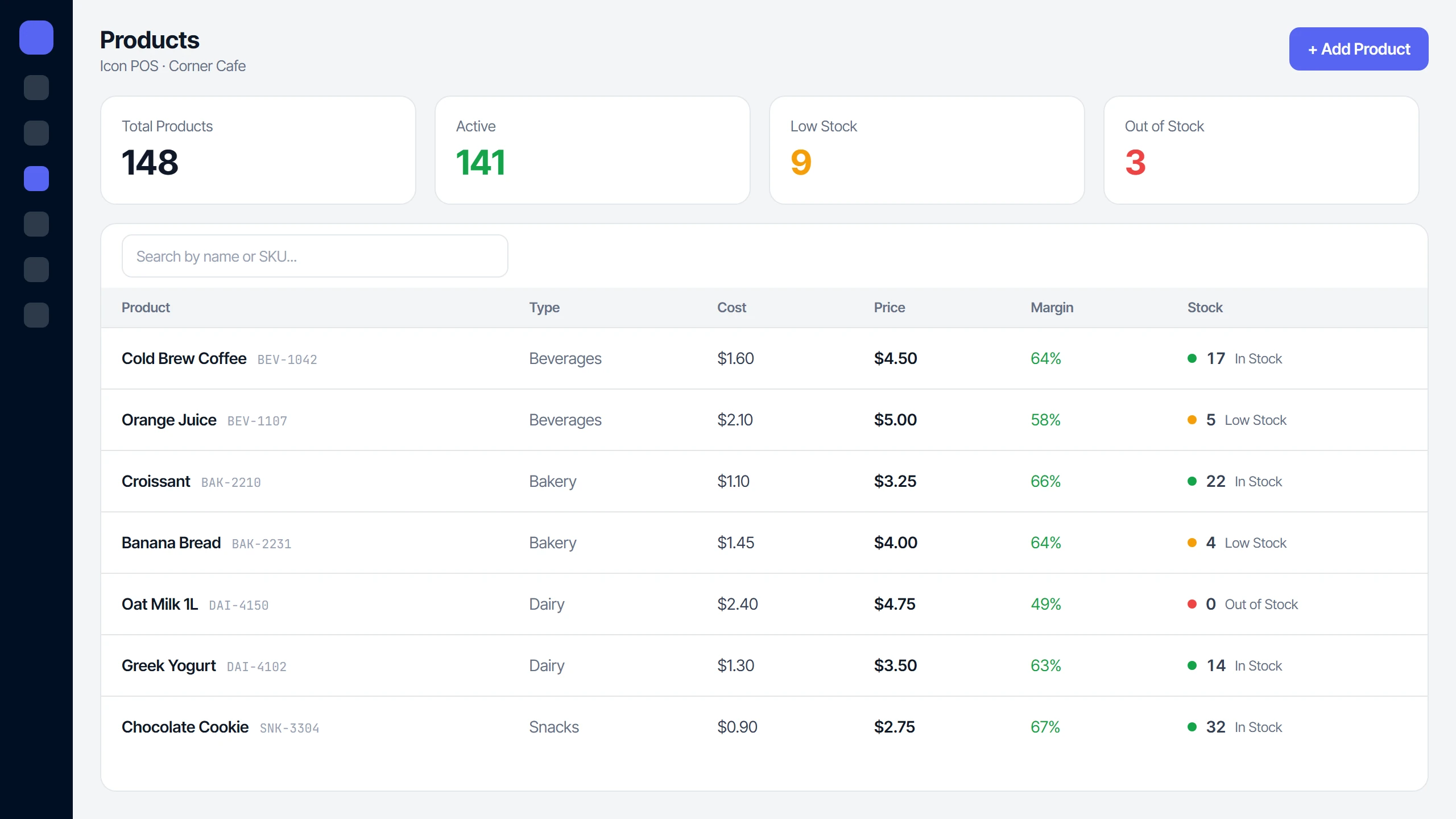
A POS deducts stock with every sale, so the count is always current. In Icon POS each product has its own low stock threshold, and anything at or below it is flagged Low Stock or Out of Stock, with a Low Stock Alerts card on the dashboard. Set higher thresholds for your fastest movers so you reorder before the shelf is empty.
2. Serve Customers Faster at the Counter
When the queue is long, some people put the item down and leave. Every second you save per customer shortens the wait for everyone behind them.
In Icon POS you find a product by typing its name or SKU, or by scanning it: a standard USB barcode scanner adds the matching product to the sale straight away. F12 opens payment, and the receipt prints on an 80mm thermal printer or as an A4 invoice.
3. Say Yes to Customers Who Cannot Pay in Full Today
Many sales are lost because a regular customer is short on the day. Many others are made on trust and never fully collected, because nobody wrote them down properly.
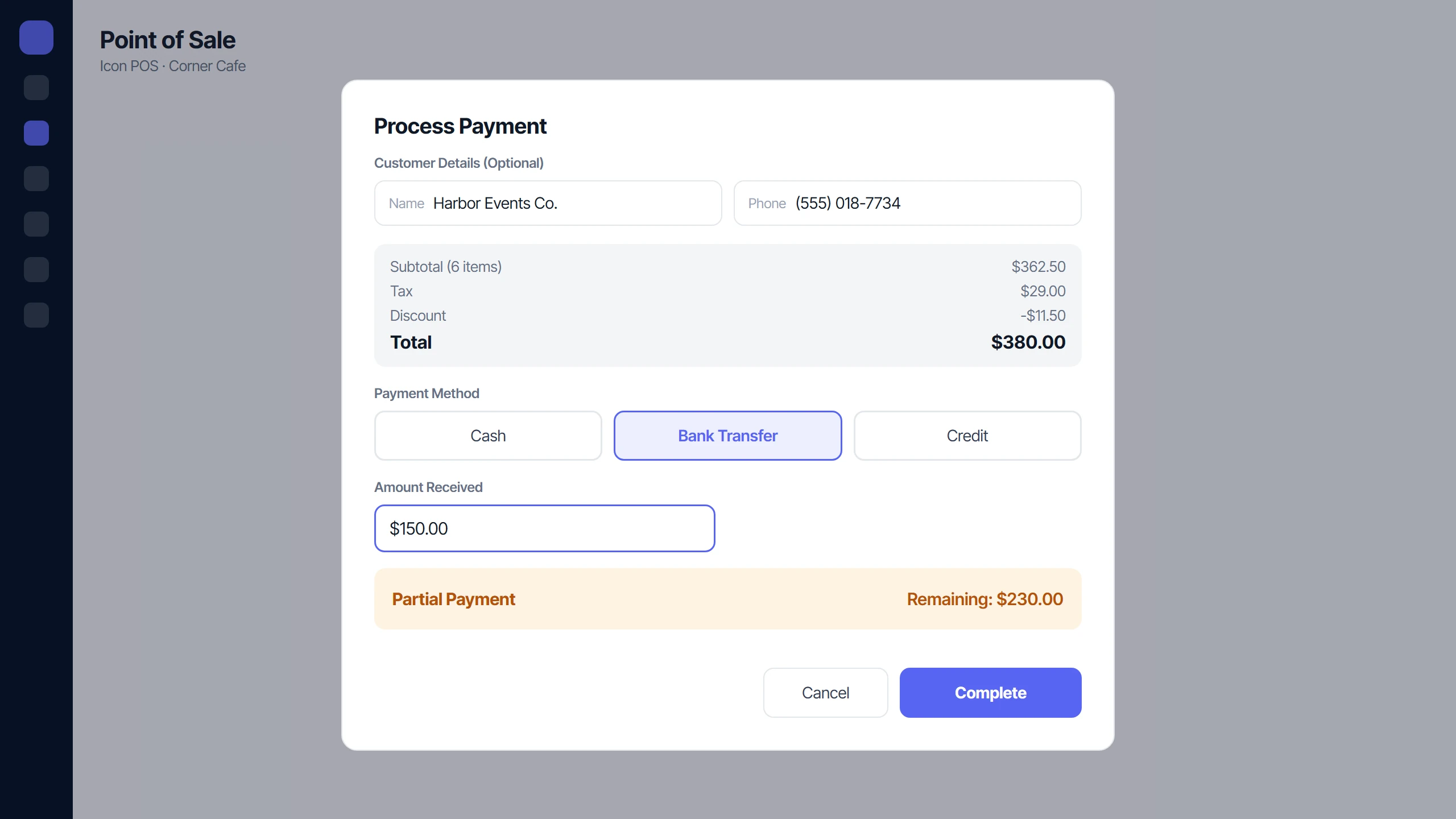
Icon POS takes Cash, Bank Transfer or Credit, and a sale can be paid in full, in part, or entirely on credit. A partial or credit sale needs the customer’s name and phone number, so every open balance has a person attached to it. The Partial Payments screen lists what is still owed, the Receive Payment button records each instalment, and a customer statement shows one customer’s full account.
4. Turn More Quotes Into Orders
For businesses that quote before they sell, such as trade counters, wholesalers and suppliers, the quote is where the sale is won or lost. A quote that is written on paper and forgotten is a sale you never followed up.
Icon POS keeps every quotation with its status (Pending, Accepted, Rejected or Expired) and its expiry date, and lets you reuse your standard terms and conditions from saved templates. When the customer says yes, Convert to Invoice turns the quote into a sale and deducts the stock. Filter to pending quotes each week and call before they expire.
5. Know Which Products Actually Make You Money
Your busiest product is not always your most profitable one. Without sales data, most owners stock and promote by feel.
Icon POS reports list your Top Performing Products by revenue or by quantity sold, with the profit and margin on each, and the product list shows each item’s margin over cost. Use it to decide what gets the best shelf space, what to reorder first, and what is tying up cash as dead stock.
6. Stop Discounts From Quietly Eating Your Profit
Discounts can win a sale, but they are easy to give and hard to see afterwards. A few “just this once” discounts a day add up to real money over a month.
Icon POS lets you discount a single line or the whole invoice, by a percentage or a fixed amount, and its Discounts report shows the total given away and the revenue impact. If discounts are rising faster than sales, you know to tighten who can give them and when.
7. See Your Real Profit, Not Just Your Takings
A busy till does not always mean a profitable month. Rent, stock purchases and wages can take more than a good week of sales brings in.
Icon POS records expenses by category and posts sales and expenses to a built‑in double‑entry ledger, the standard bookkeeping method where every amount is recorded on two sides so the books balance. The dashboard shows Today’s Sales, Cash Balance and Net Profit for the month so far, and the reports include a profit and loss statement. When sales go up and profit does not, that is the number that tells you.
What a POS System Cannot Do for You
A POS system is a record and a tool, not a sales strategy. It will not bring in new customers, improve a weak product, or fix prices that are too high or too low on its own.
It will not act on the data either. The alerts, reports and statements only raise sales if someone looks at them and does something. For bringing in new customers, see our tips on increasing your business revenue online.
How to Get More Sales From Your POS in the First Month
- Enter every product properly. Give each one a real cost price, a selling price and a low stock threshold, or the margin and stock figures will be wrong.
- Record every sale, including credit. A sale that happens outside the system is a gap in every report.
- Check stock every few days. Reorder anything flagged Low Stock before it runs out.
- Review weekly. Look at your top products, the discounts given, the money still owed to you and the quotes still pending.
- Review monthly. Compare net profit and expenses with the month before, and change one thing at a time.
Is Icon POS Right for Your Business?
Icon POS suits a business that sells from stock at a counter: a shop, a trade counter, a small wholesaler or a supplier. It fits best if you take cash, bank transfer and credit, print receipts or invoices, and sometimes quote before you sell. You choose your currency in settings, and staff get one of four roles (Admin, Manager, Counter or Data Entry) with access to match.
You can see it working, from checkout to reports, on our software page. If you would like to talk through whether it fits your business, book a free consultation with us.
FAQs
Is a POS System Worth It for a Small Shop?
For most shops that sell from stock, yes. Even with one till and one person, it keeps stock counts current, records who owes money, and shows which products sell, which are the three things a notebook does worst.
Can a POS System Track Customers Who Owe Money?
Yes, if it records partial payments and credit sales. Icon POS does both: each open balance is linked to a named customer, every later payment is recorded against the invoice, and a customer statement shows what each customer owes.
Does Icon POS Work With a Barcode Scanner?
Yes, with a standard USB scanner that types into the search box like a keyboard. When the scanned code matches a product’s SKU or barcode exactly, the product is added to the sale.
What Receipts Can Icon POS Print?
Two formats: an 80mm thermal receipt for a receipt printer, and a full A4 invoice with your business details, item lines, tax and payment status.